TL;DR:
- Automated prospecting uses software to find accounts, enrich contact data, score leads, and trigger outreach automatically, reducing the amount of manual work required from sales reps.
- The goal isn't to replace SDRs. It's to remove repetitive tasks so reps can spend more time speaking with qualified prospects and less time researching them.
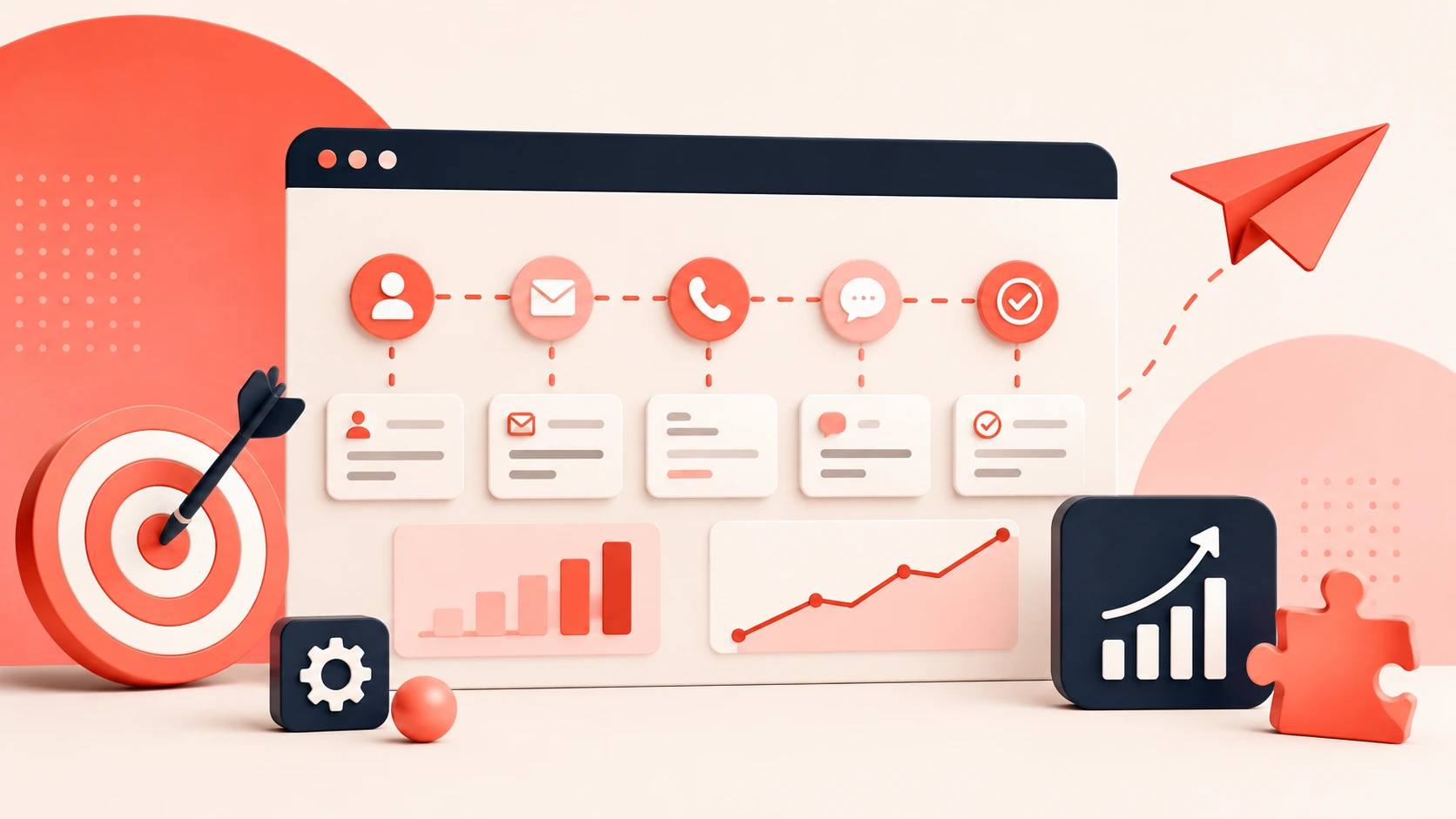
- A successful workflow typically follows five steps: define your ICP, identify target accounts, enrich contact data, prioritize leads, and automate outreach.
- Data quality matters more than automation. Poor contact data leads to poor results, no matter how advanced the workflow is.
- Using multiple data providers is often more effective than relying on a single source, helping teams improve contact coverage and reduce missing data.
- Lead scoring helps prioritize the right opportunities by combining company fit, buyer signals, and engagement data before leads reach the sales team.
- Common mistakes include automating a broken process, sending the same outreach to every prospect, ignoring email deliverability, and failing to maintain workflows over time.
- Automated prospecting works best for outbound sales teams, SDR managers, RevOps teams, and growing companies that need a repeatable pipeline generation process.
- Bottom line: Automated prospecting can help teams scale outreach and improve efficiency, but success depends on accurate data, clear targeting, and ongoing optimization.
Prospecting takes time. Sales reps often spend hours finding contacts, checking data, and building lead lists before outreach begins.
Automated prospecting reduces this manual work by using tools to find, enrich, and organize prospects.
In this guide, you'll learn how to automate prospecting and build a process that saves time without sacrificing lead quality.
What Is Automated Prospecting?
Automated prospecting means using software to run the predictable, rules-based parts of finding and qualifying buyers. Instead of your SDR manually searching for accounts, hunting down contact details, verifying emails, and logging everything into your CRM by hand, the system handles that work in the background.
Think of it as a dividing line. On one side: tasks that follow clear rules and don't require judgment. Find all fintech companies with 50-200 employees using Salesforce. Get the verified email for the VP of Sales. Send a follow-up on day 4 if there's no reply. On the other side: tasks that need a real person. Understanding that a prospect's tone in an email means they're close to a yes. Knowing when to break from the sequence and pick up the phone. Deciding whether an account is actually worth your time even if it fits the ICP on paper.
Automation owns the first category. Your reps own the second. The goal isn't to remove humans from prospecting. It's to stop using expensive human judgment on work that doesn't require it.
The Real Cost of Manual Prospecting
Before getting into how to automate it, it's worth running the actual numbers on what manual prospecting is costing you.
The average SDR spends 20-25 hours per week on prospecting tasks: building lists, verifying emails, researching companies on LinkedIn, updating CRM fields. That leaves roughly 15 hours for actual selling conversations. Flip those numbers and it's obvious why outbound teams always feel behind on pipeline despite working full days.
B2B contact data decays at 30% every year. A list your team built clean in January has already lost around 15% of its usable contacts by July from job changes, company restructuring, and email addresses that quietly stopped working. Your reps are dialing dead numbers and sending emails into the void, and they don't usually find out until the bounce report looks ugly.
The cost per qualified meeting from a fully manual prospecting motion runs around $300 when you factor in salary, tools, overhead, and ramp time. Teams with well-built automated systems bring that down to $35-55 per meeting. Nucleus Research published research showing sales automation returns $8.71 for every dollar spent. I've watched enough teams go through this to believe those numbers.
None of this is about effort. Manual prospecting is inconsistent by nature. It depends on how energetic your reps feel, which accounts they happened to research that morning, and whether someone remembered to update the CRM. Automation is consistent. It doesn't have off days and it doesn't skip steps when it's busy.
The fix isn't hiring more SDRs. It's building a system.
How to Build an Automated Prospecting System Step by Step
There are five layers to a working automated prospecting system. You need all of them. Teams that build only two or three wonder why results are still disappointing after six months.
Here's each step, in order.
Step 1: Lock Down Your ICP Before You Touch Any Tool
I can't say this strongly enough. Most automation fails not because the tools are bad but because the targeting is wrong from the start.
Every sales team has an ideal customer profile. Most of them have it written down somewhere in a slide deck nobody opens after the kickoff meeting. For automation to work, your ICP in sales needs to become actual filter logic inside your tooling: industry, company headcount range, annual revenue band, geography, technology stack, target role and seniority, and growth signals like hiring trends, funding recency, or leadership changes in the last 90 days.
The sharper the filters, the better the automation performs. "Fintech companies, 50-200 employees, using Salesforce, currently hiring for SDR roles" returns a focused, workable list. "Mid-market B2B companies" returns noise. And noise is expensive when you're paying credits to enrich every record.
One thing I've seen trip teams up repeatedly: they define the ICP from their best current customers, but they don't encode the signals that were true about those accounts six months before the deal closed. Company size and industry are baseline criteria. The real signal is what the account looked like when they were actually ready to buy. Those leading indicators are what your automation should be hunting for, not just the firmographic snapshot.
Start narrow. You can always broaden the criteria later. Starting wide and trying to tighten mid-campaign wastes credits, burns inbox reputation, and hands your SDRs a list that was never going to convert.
Step 2: Automate Account Discovery Using Buying Signals
Once your ICP filters exist, account discovery can run without anyone doing manual searches.
Sales intelligence platforms pull accounts matching your criteria and surface them as they become relevant. You're not refreshing a spreadsheet every Monday morning. New matching accounts flow in as triggers fire, when a company hits a funding milestone, brings in a new executive, or shows a spike in hiring for the roles your product targets.
That last part is where most teams leave serious pipeline on the table. They set up static discovery (find all companies matching X) without layering in timing signals. A company matching your ICP that just closed a Series B, hired a new VP of Sales, and posted six SDR job listings is in a completely different buying mode from an identical company with flat headcount and no recent news. Both hit your ICP filters. One is ready to talk. Signal-based GTM is how you tell them apart without your team manually checking LinkedIn every morning.
Set your CRM up to auto-enrich accounts the moment they enter the system. No manual copy-paste. No weekly batch imports. Data comes in, gets verified, and routes to the right rep before they even know the account exists. That's the handoff you're building toward.
Step 3: Build a Data Enrichment Waterfall, Not a Single Source
This step is where automated prospecting holds together or falls apart. Most teams skip the waterfall and rely on a single data provider. That decision costs more than they realize.
Any one provider caps out around 40-50% email match rates on a fresh list. That means nearly half your contacts never get into a sequence at all. You're running your automation at half capacity and wondering why pipeline is thin. The provider isn't the problem. Relying on only one of them is.
A waterfall enrichment approach fixes this. You sequence multiple providers: Provider A runs first. If it misses on a contact, Provider B tries next. The chain continues until data is found or all sources are exhausted. Most teams that move from a single provider to a properly sequenced waterfall see match rates jump from around 40% to above 80%. That's a completely different prospecting list to work from.
(Worth checking before you build: some platforms charge credits for failed lookups, not just successful ones. If you're paying for every query regardless of outcome, your real cost per enriched record is higher than the pricing page shows. Build that into your budget math before you commit to a provider stack.)
For direct dial numbers, the same principle applies but the stakes are higher. Mobile numbers are harder to source than emails. If your team does any phone outbound prospecting, your connect rate is directly determined by the quality of your mobile data. There's a real difference between a provider covering 30% of your target contacts with verified direct dials and one covering 75% or more. That gap shows up in your SDRs' dials-to-conversation ratio every single week. It's one of the most direct lines between data quality and revenue.
B2B data enrichment isn't a one-time setup task. Re-enrich your CRM records on a rolling 90-day cycle because contacts change jobs, companies restructure, and phone numbers go stale faster than most teams expect. CRM data enrichment on a scheduled cycle is the difference between a pipeline that stays clean and one that slowly rots from the inside.
Step 4: Score Leads and Route Them Before Reps See Them
At this point you have a list of enriched accounts. Not all of them deserve the same attention. Lead scoring is what separates the accounts worth an experienced SDR's time from the ones that belong in a standard nurture.
A basic scoring model weights ICP fit, intent signals, and timing. A company in your target vertical, right headcount range, using the tech you integrate with, AND currently showing buying signals like active job postings for relevant roles or a recent leadership change gets a high score. One that matches on firmographics but shows no recent activity gets a lower one. Accounts that barely clear your ICP threshold get filtered out entirely before any rep sees them.
Build routing logic directly into the scoring. Tier-one accounts go to your most experienced SDRs or into high-touch sequences with more personalized steps and tighter follow-up windows. Tier-two goes into a standard cadence. Accounts that don't score high enough never hit a rep's queue.
In my opinion, this is where most teams miss the biggest opportunity in automation. They build systems that find and enrich contacts but stop short of making decisions. Everything ends up in one queue and the SDRs are still manually deciding what to work. The system should be making those prioritization calls so reps walk into their day with a ranked list, not a spreadsheet to sort through.
Step 5: Run Outreach Sequences That Work Without You
Once a contact clears your scoring threshold, the sequence should run without anyone queuing it manually.
Automation handles the timing: when the first email goes out, when the follow-up fires, when a LinkedIn touch or voicemail step gets added. Your sales development representatives don't touch any of this unless a prospect replies or an account crosses into your manual-review tier.
The sequence structure, though, needs human thinking behind it. A lot of teams get this wrong. They build one cadence and run it for every prospect on the list. A VP of Sales at a Series A startup gets the same message as a Director of RevOps at a 500-person financial services company. Same product, completely different buyers, completely different contexts and objections.
Write segment-specific sequences. Give each major segment a different opening angle and adjust follow-up timing based on their typical buying cycle. For cold email personalization, pull variables directly from your enrichment data so each opening line references something real: a funding announcement, a job posting, a recent piece of content the prospect published. The automation inserts the right detail per contact. For your highest-priority accounts, have a rep review and edit the copy before it goes out. For standard-tier contacts, let it fire.
What to do: Write your sequences by segment before you build any automation around them. If you build the automation first and try to make one sequence do everything, you'll produce generic outreach at scale. That's not better than manual prospecting. It's just faster at making the same mistake.
Automation Has Real Limits. Know Where They Are.
Once you've built the system above, there's a natural temptation to automate everything and step back. That's where things go sideways.
The rules-based tasks are fair game: account discovery, contact enrichment, email verification, CRM updates, follow-up scheduling, lead scoring, routing logic. These don't require judgment, and software runs them faster and more consistently than any human will.
But some things should stay manual. Write the opening message to your top 20 accounts by hand. Respond to any reply from a prospect yourself. The actual conversation, whether that's a call, a Zoom, or a back-and-forth email thread, needs a real person. No tool replaces that.
Honestly, the teams that struggle most with automated prospecting aren't the ones who automated too little. They're the ones who automated everything and then walked away. Sequences fire for months with no one checking reply rates, no one reviewing whether the messaging still makes sense, no one noticing the bounce rate slowly climbing. Automation needs a human maintaining it or it gets worse over time and nobody catches it until the numbers collapse.
Why Bad Data Kills Automated Prospecting Systems
Here's the part most guides on automated prospecting skip or bury. Bad data kills good automation before it gets started.
Clean ICP logic, a well-built enrichment waterfall, segmented sequences, solid scoring: none of it performs if the underlying contacts are wrong. Stale emails hit spam traps and damage your sending domain. Outdated job titles mean your message lands with the wrong person. Missing mobile numbers mean your SDRs spend their calling blocks leaving voicemails on main lines.
B2B data decay runs at around 30% every year. That's not a slow fade. It means a list you built clean in January has already lost a third of its accuracy by December. If your database isn't refreshing on a continuous cycle, your automation is degrading even when you're not touching it.
This is why the data layer isn't something you add later. It's the foundation the whole system runs on. SMARTe covers 289M+ verified contacts with 75%+ US mobile coverage and 50%+ global direct dial coverage across 200+ countries. Data gets verified in real time at point of use, not from a static export. When the contact data feeding your automation is accurate, every downstream metric improves: better connect rates, fewer bounces, more replies from the right people.
A team with average automation running on great data will outperform a team with sophisticated automation running on a stale database. I've watched it happen enough times that it stopped surprising me.
4 Automated Prospecting Mistakes That Kill Pipeline
Even teams that build the right system can sabotage their results in how they run it. These four mistakes show up consistently.
The good news: all four are fixable once you know to look for them.
1. Running One Sequence for Every Prospect
A single generic cadence across your entire list is expensive. A fast-growing startup and an established 600-person enterprise have different buying processes, different decision-makers involved, and different reasons to say yes or no. One sequence written for both reads as wrong to both.
Build segment-specific sequences. At minimum, give each major segment a different first-touch angle and adjust follow-up timing based on their typical buying pace. Generic outbound sales strategies applied uniformly aren't personalization. They're broadcasting with extra steps and they perform like it.
2. Ignoring Email Deliverability Until It's Too Late
Deliverability is invisible when it works. By the time you notice it's broken, you've likely been landing in spam for weeks and your domain reputation has taken real damage. Recovery is slow.
High bounce rates from unverified lists, over-sending to the same corporate domains, missing authentication records on your sending domain: these erode your reputation quietly. Reply rates drop and most teams assume the messaging is wrong. Often the message was fine. The email just never arrived. Use email deliverability tools to verify every contact before they enter a sequence, and monitor your bounce rate every week without exception.
3. Using AI Copy With No Human Review
AI-written personalization can work at scale. But AI copy with no review layer produces emails that feel templated, and most experienced buyers spot it in the first sentence. And if your AI is pulling incorrect enrichment data, a wrong company name or a job title that's six months out of date, your "personalized" opener becomes an immediate trust killer.
Build in a review step for your top accounts and any segment where the relationship matters. Let the AI draft. Have a human approve before it sends.
4. Treating the System as a One-Time Build
This kills more automated prospecting systems quietly than any other mistake. Teams build the workflow, it works for a couple of months, and nobody touches it again. ICP criteria drift. Data providers change their coverage. Sequences that booked meetings in Q1 start falling flat by Q3 because the market or the messaging shifted, and nobody's been looking.
Run a monthly review. Check reply rates by segment, compare bounce rates to the previous month, audit your scoring logic against accounts that recently closed, and update enrichment sources if match rates are dropping. A pipeline generation system that gets regular attention consistently outperforms one that gets ignored.
Conclusion
Automated prospecting doesn't replace your SDRs. It gives back the hours they were burning on work that never needed a human in the first place.
The teams that build this right come back to the same things: a tight ICP that lives inside their tooling, a data layer that holds up, scoring logic that makes decisions before reps have to, and sequences specific enough to feel like they were written for one buyer. The ones that struggle skip the data layer and wonder why the automation isn't delivering.
Good data is the engine. Everything else is the chassis around it.
See what your outreach looks like when every number is verified and every contact is current. Book a demo and ask for a live sample against your own target list.