Most SDRs use ChatGPT the same way they use Google. They type out a question, skim the answer, and close the tab. That's not a workflow. That's an expensive procrastination.
The teams actually generating pipelines with ChatGPT aren't using it more. They are using it differently. They treat it as a workflow layer (something that sits between their lead generation strategies and their actual conversations with buyers). They give it structure, context, and real data to work with. And then it pays them back in time.
Here's the thing though. ChatGPT has a ceiling. A hard one. And if you don't understand where that ceiling is before you build your outbound motion around it, you're going to hit it right when it hurts most. After you've already sent 500 emails.
This guide covers exactly how to use ChatGPT for lead generation, step by step. The prompts. The frameworks. The workflows. And the one limitation that every serious B2B team eventually runs into, plus how to fix it.
Let's get into it.
What ChatGPT Actually Does (and Doesn't Do) for Lead Generation
Before the prompts, you need the right mental model.
ChatGPT is a language model. It generates text based on patterns from its training data. It can reason, structure, reframe, and produce human-sounding copies at speed. These are genuinely valuable capabilities for outbound lead generation.
What it cannot do:
- Build a verified contact list
- Confirm whether a phone number is live
- Tell you that your best prospect changed jobs last month
- Pull real-time buying signals from the market
- Access your CRM or your prospect's LinkedIn activity
Ask ChatGPT for "a list of VP of Sales at Series B SaaS companies in Austin" and it will either refuse or return names that don't exist. That's not a bug. It's just not what the tool was built to do.
The teams that get results pair ChatGPT’s language capabilities with real B2B data. The teams that don’t often spend weeks building a beautiful AI workflow that produces nothing because the underlying contact data is stale.
We’ll come back to this in the end. It’s the most important part of the article.

SMARTe GTM Intelligence
Start Smarter Prospecting Today
Step 1: Set Up ChatGPT for Your Sales Context (Do This First)
Most people skip this step entirely. It's the fastest way to get better output from every single prompt you run.
Configure Custom Instructions
ChatGPT has a Custom Instructions feature (Settings → Personalize → Custom Instructions). Use it. Fill in both fields with your sales context:
"What would you like ChatGPT to know about you?"
Write something like this:
I’m an SDR at a B2B SaaS company that sells sales intelligence software to VPs of Sales and RevOps leaders at companies with 50 to 500 employees. Our main value propositions are verified by mobile numbers, global contact coverage, and CRM enrichment. My ICP consists of outbound-heavy sales teams in North America and Europe.
"How would you like ChatGPT to respond?"
Keep emails under 100 words. No filler phrases. No passive voice. Lead with a specific pain point, not a feature. Always end with a single, low-friction call to action.
You do this once. Every prompt you run afterward inherits that context. Your cold email output stops sounding generic the moment you set this up. This is the configuration step that no one talks about, and it changes everything.
Step 2: Build Your ICP and Buyer Persona with ChatGPT
The fastest way to build a bad contact list is to skip ideal customer profile research. ChatGPT is genuinely good at forcing you to think through this properly.
The ICP Prompt That Actually Works
Here's the structure: I call it R-C-T-F-C (Role, Context, Task, Format, Constraint):
- Role: Act as a B2B go-to-market strategist
- Context: My product is [describe product + 1-line value prop]. My best customers are [describe what they look like today]
- Task: Build me a detailed ICP including industry, company size, org structure, budget ownership, trigger events, and top 3 pain points
- Format: Return this as a structured breakdown I can share with my team
- Constraint: Focus only on outbound-first companies in North America and Europe
Full prompt:
Act as a B2B go-to-market strategist. My product is a sales intelligence platform that gives SDR teams verified mobile numbers and direct dials. My best current customers are VP of Sales at B2B SaaS companies with 50–500 employees who run outbound-heavy motions. Build me a detailed ICP including industry verticals, company size, org structure, typical budget ownership, trigger events that signal buying readiness, and the 3 biggest pain points this buyer has. Format it as a structured breakdown I can share with my sales team. Focus only on outbound-first companies in North America and Europe.
ChatGPT will return a structured output you can actually use. Take it. Add your own product knowledge on top. Sanity-check it against your closed-won data if you have it.
From that ICP, prompt it to build a buyer persona:
Using the ICP above, build me three buyer personas with names, daily frustrations, how they get evaluated at work, what language they use to describe their problems, and what a "perfect day" looks like for them. Write in first-person for each persona.
This output directly feeds your cold copy. When you know a VP of Sales describes their problem as "my team is burning through their list and not booking enough meetings" that phrase ends up in your subject line, not something you invented.
(And yes, this matters more than most teams realize when they're trying to figure out why their open rates are stuck in single digits.)
Step 3: Write Cold Outreach That Gets Replies
This is where most people land when they search "ChatGPT for lead generation." They want the prompts. Here they are but with the framework that makes them actually work.
The Prompt Architecture That Changes Output Quality
Weak prompt: "Write me a cold email for a VP of Sales."
Strong prompt: "Act as an SDR with 5 years of outbound experience. Write a cold email to [Name], VP of Sales at [Company], a 200-person SaaS company that just raised a Series B. Their sales team has doubled from 8 to 16 reps in the last 6 months. My value prop: verified direct dials that improve connect rates for outbound teams. Keep it under 80 words. No opener like 'I hope this finds you well.' Lead with a problem, not a feature. End with a question, not a demo ask."
The output difference is not marginal. It's the difference between something you'd actually send and something that sounds like a template.
For B2B cold email templates, here are the three prompts I'd build first:
1. The Trigger Email (use when a prospect has a visible buying signal)
Act as a seasoned SDR. Write a 70-word cold email to a VP of Sales whose company just posted 5 new SDR roles on LinkedIn. My company provides verified mobile numbers for outbound teams. Lead with the hiring signal without being creepy about it. No feature dump. One question at the end.
2. The Pain-First Email (use for cold lists with no visible trigger)
Act as a B2B sales copywriter. Write a 3-sentence cold email to a Sales Manager at a 100-person B2B SaaS company. The pain: their SDRs are spending 30% of their day researching contact details that turn out to be wrong. I solve this with real-time verified contact data. No buzzwords. Direct. End with a soft CTA.
3. The Referral-style Email (use when you have a mutual connection or shared context)
Write a cold email that references a talk the prospect gave at a recent SaaS conference about outbound scaling challenges. Don't mention the conference name directly. Use the insight they shared as a hook. Keep it under 60 words. One CTA: a 15-minute call.
For cold email subject lines, prompt ChatGPT separately:
Write 10 subject lines for a cold email targeting a VP of Sales at a Series B SaaS company. Test these angles: curiosity, pain point, specificity, and social proof. Under 7 words each. No questions as subject lines.
Then A/B test the top three. This process alone is worth the subscription.
LinkedIn Outreach Prompts
LinkedIn prospecting has its own rules. Connection requests have character limits. DMs need to be short and not sound automated. ChatGPT handles both.
For connection requests:
Write a 290-character LinkedIn connection request to a RevOps Director at a B2B software company. I'm an SDR at a sales intelligence company. Don't pitch. Sounds like a peer, not a vendor. Reference to their recent post about CRM data quality if you can work it naturally.
For LinkedIn messaging templates after connecting:
Write a LinkedIn follow-up DM to send 3 days after connecting with a VP of Sales. They accepted my request but haven't replied. I want to open a conversation, not pitch yet. Keep it under 50 words. One soft question at the end.
Build a Multi-Touch Sequence — Not Just One Email
One email is not a sequence. Real pipeline comes from follow-up email sequences with progressively different angles.
Here's the prompt to build a full 5-touch sequence in one shot:
Act as a B2B sales strategist. Build a 5-touch outbound email sequence targeting a VP of Sales at a B2B SaaS company. My product is a sales intelligence platform with verified mobile numbers. Touch 1: Cold intro (problem + curiosity). Touch 2: Case study angle (3 days later). Touch 3: Insight/value email with no ask (6 days later). Touch 4: Reframe with a different pain point (10 days later). Touch 5: Breakup email (14 days later). Each email: under 75 words. Different subject lines for each. No email starts with "I."
This gives you a complete sequence in under 2 minutes. You edit for tone, add specific personalization, and send. The alternative is writing five separate emails across three days and still ending up with something less structured.
Step 4: Qualify and Score Leads Faster
Lead scoring is tedious when done manually. It's also where most SDRs waste the most time chasing leads that were never going to close.
ChatGPT can help you build a qualification framework and apply it at a scale.
Build Your Qualification Framework
Act as a B2B sales strategist. Create a lead qualification framework for a sales intelligence platform. The buyer must be a decision-maker or influencer in the sales org, at a company with an active outbound motion, 50–500 employees, ideally in North America. Build a scoring matrix with 5 criteria, each scored 1–3. Include a total score threshold for "pursue now" vs "nurture" vs "disqualify."
Use that framework as a filter when reviewing your contact lists. Then take a batch of discovery call notes and prompt ChatGPT to qualify them against it:
I'm going to share notes from a 20-minute discovery call. Apply this framework [paste framework] and tell me: should this be advanced to a demo, moved to nurture, or disqualified? Explain your reasoning in 3 sentences.
This isn't replacing your judgment. It's making your judgment faster.
Distinguish MQLs from SQLs Before Handing Off
Marketing qualified leads (MQLs) and sales qualified leads (SQLs) are different animals. ChatGPT can help you draft the qualification questions that separate them at the top of the funnel:
Write 8 qualification questions for an SDR to ask on a first call with an inbound lead from a form fill. The goal is to determine if this is a genuine SQL. Include BANT criteria but don't make it sound like an interrogation. Keep each question conversational.
Build these into your call scripts. The quality of your handoffs to AEs improves immediately.
Step 5: Use ChatGPT to Prep for Discovery Calls
This is the most underrated use of ChatGPT in B2B sales prospecting strategies. Reps go into discovery calls under-prepared because the research takes too long. ChatGPT cuts it to minutes.
The Pre-Call Research Prompt
I have a discovery call in 30 minutes with [Name], VP of Sales at [Company]. They're a 150-person B2B SaaS company in the cybersecurity space. They recently posted 6 SDR roles and raised a $20M Series B. Give me: (1) 3 likely pain points I should probe for, (2) 2 questions that will uncover budget authority, (3) the most relevant competitor to mention if they bring it up, and (4) a 30-second recap of what I know about their GTM motion. Be direct. No fluff.
You can paste this output into a notes doc and open the call confident.
Objection Roleplay Prompts
ChatGPT is also excellent for handling cold calling objections through practice. Use it as a sparring partner:
Act as a skeptical VP of Sales who just answered a cold call. You've heard every sale pitch. You're going to hit me with common objections "we already use x tool," "not the right time," "send me an email" one at a time. I'll respond. After each exchange, give me a score out of 10 and tell me what I should have said instead.
I've seen SDRs run this for 20 minutes before a big cold call day. It's one of the most practical things you can do with ChatGPT, and almost nobody does it.
Step 6: Use ChatGPT to Drive Inbound Pipeline Through Content
ChatGPT accelerates inbound lead generation when used as a content engine and not a content replacement.
The distinction matters. Content written entirely by AI with no editorial layer reads like AI. Buyers spot it. And Google is getting better at spotting it too. Use ChatGPT to do the structural heavy lifting, then add your own opinion and specificity on top.
What to Build with ChatGPT for Inbound
Blog outlines and first drafts: Use it to build outlines for SEO content targeting your ICP's search queries. The demand generation content calendar alone takes half the time when you have a reliable AI drafting partner.
Lead magnets: A lead magnet that takes two weeks to produce manually a data report, a framework doc, a checklist, can be structured in a day with ChatGPT doing the architecture. You add the positioning, the examples, the editorial point of view.
Email sequences for nurture: Pair ChatGPT with email lead generation software to build nurture campaigns for leads that aren't ready to buy yet. Prompt it to write a 6-email educational sequence for a specific persona. You'll get something you can actually launch.
Social content from long-form: Take one high-performing blog post and prompt ChatGPT to extract 5 LinkedIn posts, 3 Twitter/X threads, and 2 short email teasers from it. That's a week of social content from one piece.
Step 7: Use Trigger-Based Personalization at Scale
This is where AI lead generation gets genuinely powerful and where almost no one goes.
Generic outreach fails because it says the same thing to everyone. Trigger-based outreach works because it shows the prospect you noticed something specific happening in their world.
The triggers to watch for:
- New funding round
- Leadership hire (new VP of Sales, new RevOps leader)
- SDR headcount growth on LinkedIn
- New technology adoption (visible via technographic data)
- Company expanding into a new market
Once you spot a trigger, ChatGPT becomes your personalization engine:
Act as an experienced SDR. I'm reaching out to a VP of Sales who just hired their first dedicated RevOps person after 2 years of doing ops manually. This signals they're scaling and professionalizing their stack. Write a 65-word cold email that uses this signal as the hook without being creepy. My value prop: we help scaling sales teams replace stale CRM data with verified contacts in real time.
The output is sharp because the input was sharp. Intent data and buying trigger signals are what makes this work at scale. Without them, you're back to guessing.
The Data Problem | Why ChatGPT Needs a Real B2B Data Layer
Here's the scenario nobody talks about openly.
An SDR team spends two weeks building the perfect ChatGPT workflow. They’ve nailed their ICP. They’ve built a five-touch sequence that sounds like human. They’ve set up their qualification framework. Then they launch the campaign.
And 35% of their emails bounce.
The prompts were excellent. The sequence was tight. The messaging was on point. But the underlying B2B data was 14 months old and B2B data decay had already done its work people changed jobs; companies restructured; email addresses went dark.
ChatGPT cannot fix this. It's a language model. It has no access to live contact databases, no way to verify whether a mobile number is still active, no signal that your best prospect at Company X moved to Company Y three months ago.
This is the ceiling I mentioned at the start. The language layer of AI-powered outbound works. The data layer is where it breaks.
Every serious AI sales prospecting motion needs a real-time data layer underneath it. That's not negotiable if you care about pipeline generation numbers.
There are sales intelligence tools built specifically for this. And one of them now connects directly to ChatGPT.
SMARTe MCP — Give ChatGPT Live, Verified B2B Data
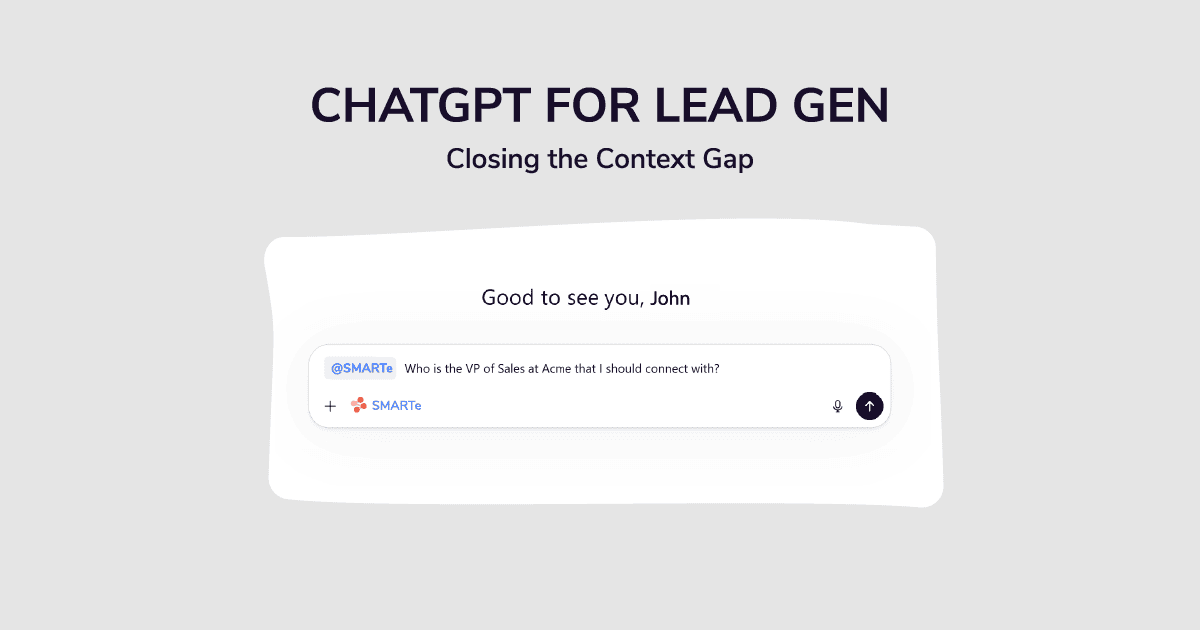
SMARTe built a Model Context Protocol (MCP) integration that gives AI tools including ChatGPT real-time access to verified B2B contact data. Not a static export. Not a CSV from three months ago. Live, verified data at the point of use.
What this means in practice:
When your rep builds a prompt inside ChatGPT, the AI isn’t working from memory or scraping the web. It’s pulling from SMARTe’s database of 290M+ verified contacts with 75%+ US mobile coverage, real-time job changes tracking, and buying signals that tells you which accounts are in an active buying cycle right now.
The workflow looks like this:
- Define your ICP criteria inside ChatGPT — "Find me VP of Sales at B2B SaaS companies, 100–500 employees, in North America, who've posted 3+ SDR roles in the last 90 days"
- SMARTe MCP pulls verified contacts matching those exact criteria from 290M+ profiles — with verified emails and direct dials
- ChatGPT writes personalized outreach using those verified contacts and their trigger signals — not boilerplate, but copy anchored to something real
- Your rep reviews, sends, and tracks — no tab-switching, no manual research, no stale data
This is what the SDR workflow look like when AI in sales is actually working. Not a shiny dashboard. Not a demo that looks great and underdelivers in production. A repeatable system where the right contacts get the right message, and neither side of that equation is broken.
The reps using this combination aren't working harder. They're spending their time on what actually moves deals conversations, not research.
Book a demo to see SMARTe MCP in action →
ChatGPT Lead Generation Prompts: Quick Reference
Keep these in a doc. Use them daily.
ICP Research:
Act as a B2B go-to-market strategist. My product is [X]. Build a detailed ICP including industry, company size, trigger events, org structure, and top 3 pain points. Focus on [region]. Format as a structured breakdown.
Cold Email (Trigger-Based):
Act as an SDR. Write a 70-word cold email to [Title] whose company just [trigger event]. My value prop: [one line]. No feature dump. One question at the end. Subject line included.
Multi-Touch Sequence:
Build a 5-touch outbound sequence for [persona] at [company type]. Each email is under 75 words. Progressive angles: intro, case study, insight, reframe, breakup. Different subject lines throughout.
Lead Qualification:
Apply this framework [paste framework] to these discovery call notes [paste notes]. Should I advance, nurture, or disqualify? Give me 3 sentences of reasoning.
Pre-Call Research:
I have a call in 30 minutes with [Name], [Title] at [Company]. Recent context: [2–3 signals]. Give me: 3 pain points to probe, 2 budget questions, 1 competitor reframe if needed, and a 30-second company brief.
Objection Roleplay:
Act as a skeptical [Title] on a cold call. Hit me with common objections one at a time. Score my responses out of 10 and give me a better version after each exchange.
Tracking What Works: Lead Generation KPIs to Watch
ChatGPT changes your speed. It doesn't automatically change your results. Track the right lead generation KPIs to know what is actually working.
The ones that matter most when running AI-assisted outbound:
- Email reply rate (target: 5–8% for cold, higher for trigger-based)
- Bounce rate (above 5% means your data layer is broken and you need to fix it before more sends)
- Meeting booked rate per 100 contacts touched
- Connect rate on dials (if you're calling, verified direct dials move this number significantly)
- Lead-to-pipeline conversion rate (where AI qualification should show up in the data)
If your reply rate goes up, but your bounce rate is also high, the copy is working, but the data isn't. That's the signal to fix the foundation before scaling the sequence.
The Bottom Line
ChatGPT is one of the most useful tools your sales team has access to. It speeds up research, sharpens copy, builds sequences, and helps reps walk into calls more prepared than they’ve ever been.
But the teams winning with it aren’t just using it more. They’re pairing it with better data.
Good prompts on stale contacts produce good emails that go nowhere. Good prompts on verified, real-time contacts produce pipeline.
That’s not a technology problem. It’s a workflow decision, and it’s one you can make today.
.png)