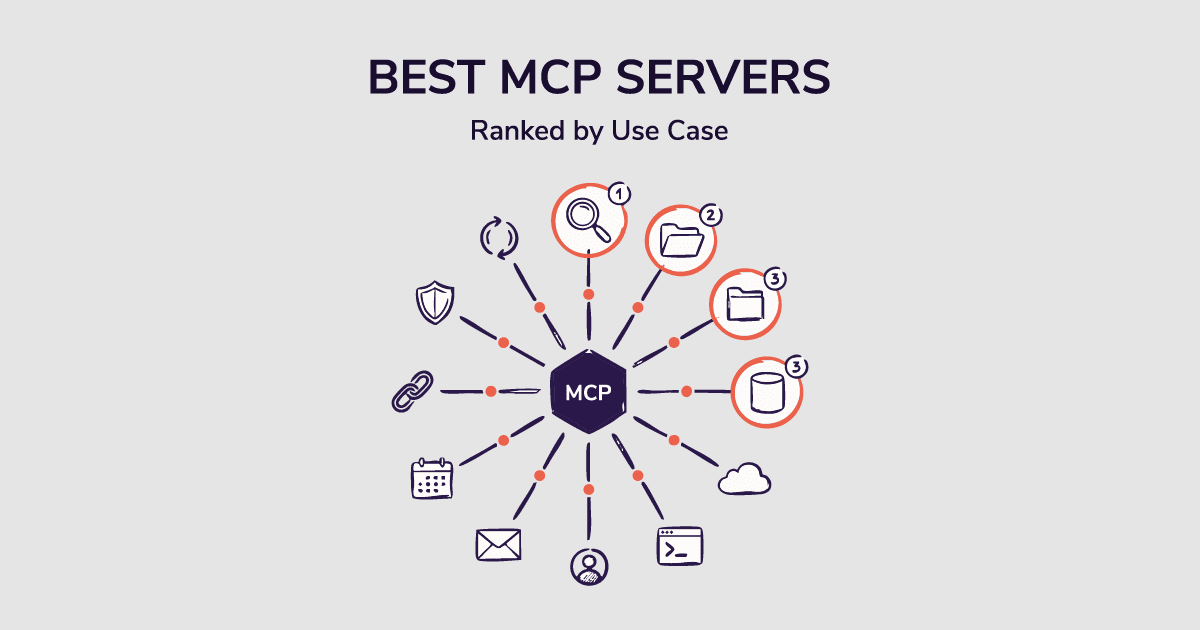
Most "best MCP servers" lists are written by developers for developers. GitHub. Figma. Sentry. Docker.
Great tools. Completely useless if you're trying to fill a sales pipeline.
Here's the thing: over 20,000 MCP servers exist today. The top 50 pull more than 170,000 monthly searches in the US alone. And yet almost every curated list ignores the teams that stand to gain the most from this technology: sales teams, GTM leaders, and marketers.
This guide fixes that.
I organized these picks by what your team actually does — sales and GTM, developers, and marketers. Each pick covers what it does, who it's for, key features, pros, cons, and pricing.
If you've been staring at a list of 2,000+ servers wondering which ones actually matter for your workflow, this is the answer.
Before we get into the servers, let's quickly look at what MCP servers actually do. And why your team should care.
What MCP Servers Actually Do
Your AI assistant is smart but isolated.
It can write cold emails, summarize calls, and draft proposals. But it can't act outside the chat window. It can't pull live CRM data. It can't find a verified mobile number. It can't log a deal update.
MCP servers fix that.
MCP stands for Model Context Protocol. Anthropic released it as an open standard in November 2024. OpenAI and Google adopted it in early 2025. Today it's the universal bridge between AI assistants and the external tools they need to take real action.
Think of it as USB-C for AI. One standard connection. Works everywhere.
Connect an MCP server and your AI gains new abilities. A CRM server lets it read and write contact records. A prospecting data server lets it pull verified contacts. A code server lets it search repositories. The result: your AI stops being a chatbot and starts being an actual work partner.
For B2B prospecting teams, that shift changes what's possible entirely. We'll get to exactly how in the next section.
(One note before we dive in. A recent audit found that 66% of scanned MCP servers had security vulnerabilities. Every pick in this guide is vendor-maintained. I'd stay away from random community-built servers without serious vetting first.)
How We Picked These
Every server on this list was evaluated against three criteria:
- Does it eliminate a real, daily friction point? Not a theoretical one. A specific task someone on your team does manually right now.
- Is it actively maintained by the vendor? No abandoned weekend projects. No community servers with zero update history.
- Does it work in production? Not just in a demo. Teams are actually running these in live workflows.
That's the bar. Here's what made it.
Best MCP Servers for Sales and GTM Teams
#1 SMARTe MCP — Best MCP Server for B2B Prospecting
Most MCP servers make your AI faster. SMARTe MCP makes it capable of things it couldn't do before.
SMARTe is a sales intelligence platform with a 290M+ verified B2B contact database. Its MCP server connects that database directly to your AI assistant. Claude or ChatGPT can now find ICP-matched contacts, pull verified direct dials, map a B2B buying group at a target account, and layer on buying signals like funding rounds and leadership changes. All inside a single conversation.
That is not an incremental improvement. It's a fundamentally different sales prospecting workflow.
Here's what most Sales Development Representatives (SDR) teams are doing today without a data MCP. They use Claude or ChatGPT to research accounts and write outreach. The AI drafts something good. Then the rep manually finds the contact on a b2b data provider, copies the mobile number, updates the sequence, and moves on. Rinse. Repeat. 200 times a week.
SMARTe MCP removes every manual step in that chain. The AI finds the contact, verifies the data, identifies the full buying group, and drafts the outreach in one go. That's what AI sales prospecting is actually supposed to look like.
And there's a data quality angle most teams miss. B2B data decay runs at 20 to 30% per year. Most contact databases run nightly batch updates at best. So the "verified" label on that mobile number might already be 12 hours old. SMARTe uses real-time verification. When your AI pulls a contact, the data is validated at that exact moment.
At scale, that distinction is the difference between a connect rate that moves and one that doesn't.
Key Features
- Real-time access to 290M+ verified B2B contacts
- 75%+ US direct dial and mobile coverage
- 86% of US decision-makers reachable with verified email
- 50%+ global direct dial coverage
- 65M+ company profiles across 200+ countries
- Technographics across 59,000+ products
- Buying group auto-discovery (maps all stakeholders at a target account)
- Bombora intent signals built in
- Funding events, job changes alerts, and headcount growth tracking
- Real-time verification (not batch processed)
- Native integration with Claude and ChatGPT via MCP
Best for: SDRs, BDRs, and sales managers running outbound through Claude or ChatGPT. Also strong for AI SDR workflows and RevOps teams managing CRM data enrichment at scale.
Pros
- Only MCP server built specifically for B2B contact discovery
- Real-time verification, not static data
- Works natively with both Claude and ChatGPT
- Genuine global coverage (not US-only)
- Bombora intent signals included
- Covers the full buying group, not just a single contact
- No per-seat pricing on the Pro tier
Cons
- Designed for sales and GTM, not a general-purpose server
- Not the right fit for developers or marketers without an outbound use case
Pricing
The verdict: If you're doing outbound prospecting with AI, SMARTe MCP is the server that makes it real. The data layer is the foundation of any AI-ready B2B data stack. Everything else builds from it.
Book a demo to see SMARTe MCP in action →

SMARTe GTM Intelligence
Start Smarter Prospecting Today
#2 HubSpot MCP — Best for CRM-Connected Sales Workflows
HubSpot's official MCP server connects your AI to live CRM data. It's matured a lot in early 2026. Today it covers contacts, company records, deal pipelines, lifecycle stages, and workflow triggers.
Here's the practical value for sales teams. Without MCP, your AI writes to a blank slate. It has no idea who's already in your system, which leads went cold last month, or which deals are stuck. With HubSpot MCP connected, the AI knows your CRM before it generates anything.
That context changes the quality of everything it produces.
Ask it to draft a follow-up for a deal stuck in negotiation. It checks the deal history, pulls recent contact activities, and writes something that actually fits the situation. No manual briefing. No copy-pasting from HubSpot to your chat.
Key Features
- Read and write access to contacts, companies, and deals
- Lifecycle stage tracking and updates
- Deal pipeline reporting and velocity analysis
- Activity logging from the AI conversation
- Workflow trigger access
- Works with Claude, ChatGPT, and other MCP clients
Best for: Sales managers and RevOps teams on HubSpot who want AI to work with live CRM data, not static exports or hallucinated context.
Pros
- Official HubSpot server, actively maintained
- Read and write (not read-only)
- Strong for pipeline reporting and deal attribution
- No additional cost beyond HubSpot subscription
Cons
- HubSpot ecosystem only (Salesforce teams need a different server)
- Developer Platform setup and OAuth required
- Not a contact discovery tool (manages existing contacts, doesn't find new ones)
Pricing: Included with HubSpot subscription.
The verdict: HubSpot MCP is the CRM management layer. Pair it with SMARTe MCP and you cover both sides of outbound: finding and verifying new contacts, then tracking them through your funnel. CRM data enrichment becomes a workflow the AI handles instead of a task someone does manually between tools.
#3 Salesforce MCP — Best for Enterprise Pipeline Intelligence
For larger sales organizations on Salesforce, this MCP connector gives AI-native access to CRM records and processes at scale.
Sales managers get the most out of this one. Ask your AI for a pipeline health summary, deal velocity by rep, at-risk accounts before quarter-end, or a forecast-vs-target gap. It pulls all of it from Salesforce live. No dashboard needed. No export. No waiting for a weekly report.
And look, this isn't just about saving time on reporting. When your AI has live pipeline context, it catches things humans miss. Deals that haven't moved in 45 days. Accounts where the champion went cold after a leadership change. Rep-level patterns that only appear when you look at the full dataset at once.
Key Features
- Natural language queries across Salesforce objects
- Contact and company record access and updates
- Opportunity and deal management
- Pipeline health reporting and forecast summaries
- Activity logging and updates
- Scales to enterprise data volumes
Best for: Enterprise sales teams and RevOps leaders who want AI to surface pipeline intelligence without building manual reports. Strong for teams where pipeline visibility is a daily operational need.
Pros
- Official Salesforce server
- Deep access to the full Salesforce data model
- Strong for pipeline intelligence and risk flagging
- No additional cost beyond Salesforce subscription
Cons
- More complex setup than HubSpot MCP
- Designed for enterprise scale, not small teams
- No contact discovery capability (same as HubSpot MCP)
Pricing: Included with Salesforce subscription.
The verdict: If Salesforce is your system of record, this server belongs in your stack. Run it alongside SMARTe MCP and you have a full revenue data layer: verified contact discovery at the top, live pipeline intelligence all the way through. That combination powers real pipeline generation at scale.
Best MCP Servers for Developers and Engineering Teams
The developer MCP ecosystem is the most mature. It's also the most covered. I'll keep this focused: one server for repository access, one for live documentation, one for debugging.
#4 GitHub MCP — Best for Code and Repository Access
GitHub's official MCP server is where most developer stacks should start. It connects your AI directly to your repositories.
Create branches, open pull requests, search code across repos, manage issues, and trigger Actions workflows. All from inside your AI conversation. No tab switching. No context loss.
The practical win: instead of toggling between your editor and the GitHub UI, the AI has direct access to the codebase. It searches, explains, and acts, right where you're already working. For teams managing large monorepos or multiple repos, the compound time saving is significant.
Key Features
- Full repository access (read and write)
- Pull request creation and management
- Issue tracking and creation
- Code search across repositories
- GitHub Actions workflow access
- Cross-repo code search
Best for: Software developers and engineering teams using Claude Desktop, Cursor, VS Code Copilot, or Claude Code for daily coding workflows.
Pros
- Official GitHub server, actively maintained
- Eliminates editor-to-GitHub context switching
- Works with every major MCP-compatible AI client
- Outperforms manual context dumping for code search
Cons
- Write access should be scoped carefully in production
- OAuth setup required
- Not useful outside of software development workflows
Pricing: Free with a GitHub account.
The verdict: Install GitHub MCP first. It handles the highest-frequency tasks for the widest range of developers. If you only run one server, make it this one.
#5 Firecrawl MCP — Best for Research and Live Documentation
Your AI's training data has a cutoff. New library releases, updated API docs, recent CVEs, current framework best practices: the AI doesn't know any of it.
Firecrawl MCP fixes that. It searches and scrapes web content in one step, returning clean structured Markdown your AI can actually read. Unlike a raw web search, Firecrawl strips ads, navigation, and page clutter. The AI gets content, not noise.
(Context7 MCP is a strong alternative if your use case centers specifically on version-specific code documentation rather than general research.)
It's particularly strong for pulling vendor docs on demand, finding breaking change notes for a framework your team uses, and researching competitor APIs during technical evaluation.
Key Features
- Web search and scrape in one call
- Returns clean Markdown content
- Autonomous research agent mode
- Handles JavaScript-rendered content
- /interact endpoint for navigating and acting on pages
Best for: Developers working with fast-moving frameworks and documentation that postdates training data. Also useful for growth and content teams doing competitive research at scale.
Pros
- Combines search and scraping (saves multiple steps)
- Clean output format
- Agent mode handles multi-page research tasks
- Works across all major MCP clients
Cons
- Paid after the free tier
- Paywalled or heavily interactive content may not scrape cleanly
- Heavier than needed for basic web search (Brave Search MCP is lighter for that)
Pricing: Free tier available. Paid plans from $16/month.
The verdict: If your team writes code against rapidly changing APIs, Firecrawl MCP keeps the AI current. Think of it as a live documentation layer your AI queries instead of working from memory.
#6 Sentry MCP — Best for AI-Assisted Debugging
Sentry's MCP server pulls stack traces, error events, and breadcrumb context from Sentry into your AI conversation. In real time.
The shift: instead of copying an error log from one tab and pasting it into your chat, the AI sees the Sentry data the moment you ask. You describe the problem. It pulls the context and starts diagnosing. No manual steps.
For teams where debugging is a real chunk of weekly hours, this compounds. The context is already there. You just ask what went wrong.
Key Features
- Real-time access to Sentry error events and stack traces
- Issue detail retrieval by ID or query
- Breadcrumb and context data access
- Filtered search across Sentry projects
- Integration with Claude Code, Cursor, and VS Code
Best for: Engineering teams using Sentry for error monitoring who want AI-assisted debugging without the copy-paste loop.
Pros
- Official Sentry server
- Eliminates the copy-paste debugging cycle
- Narrow scope (does one thing well)
- Fast setup for existing Sentry users
Cons
- Only useful if you're already a Sentry customer
- Read-only (can't resolve or assign issues from within the AI)
Pricing: Free for existing Sentry users.
The verdict: Narrow in scope. Exactly right for it. If Sentry is in your stack, connect this. The debugging loop gets measurably shorter.
Best MCP Servers for Marketing Teams
The marketing MCP landscape is developing fast. A few servers have matured. Most haven't. Here are the three worth running in 2026.
#7 Ahrefs MCP — Best for SEO and Content Strategy
Ahrefs has an official MCP server that brings live search data into your AI workflow. Ask your AI to surface keywords where a competitor ranks on page one but your domain doesn't. Pull traffic trends for a specific URL cluster. Identify content gaps for a topic cluster you're building.
For SEO teams and content strategists, this removes the friction of manual data pulls. The AI works with live Ahrefs data. It analyzes and plans in the same conversation.
Key Features
- Live keyword ranking data
- Competitor keyword gap analysis
- Backlink data access
- Traffic trend analysis by URL or domain
- Content gap identification
Best for: SEO managers, content strategists, and growth marketers who want AI to work with live search data during analysis and content planning.
Pros
- Official Ahrefs server
- Live data (not cached exports)
- Useful for competitive analysis and content gap work
- Works inside Claude, ChatGPT, and other MCP clients
Cons
- Requires an active Ahrefs subscription
- Limited to SEO use cases
- Not a general marketing analytics tool
Pricing: Included with Ahrefs subscription.
The verdict: AI in B2B marketing strategies usually stop at content generation. Ahrefs MCP takes it further: the AI identifies ranking opportunities, surfaces competitive gaps, and informs planning from live data. That's a different quality of strategic output.
#8 GA4 MCP — Best for Performance Marketing Analysis
Google Analytics 4 supports MCP integration. Your AI can query web performance data directly. Traffic by channel, conversion rates, funnel drop-off points, campaign breakdowns, audience cohort behavior.
For performance marketers, this replaces the dashboard-and-export cycle. Ask in plain language. Get the answer from live GA4 data. No pivot tables. No CSV exports.
Key Features
- Direct queries against GA4 data
- Traffic and conversion reporting
- Funnel and drop-off analysis
- Campaign performance breakdown
- Audience segment data access
Best for: Performance marketers and digital analysts who want AI to pull specific data slices during planning and reporting sessions.
Pros
- Official Google integration
- Eliminates manual GA4 report building
- No additional cost
- Works with all major MCP clients
Cons
- OAuth credentials and consent screen setup required
- Analysis only (can't change campaign settings)
- Multiple community implementations exist with varying quality (use the official one)
Pricing: Free with Google account and GA4 access.
The verdict: If your marketing workflow still involves exporting GA4 data to paste into a prompt, GA4 MCP eliminates that entirely. The AI queries live data and analyzes it on the spot. Pair it with Ahrefs MCP for a complete AI-native marketing analytics layer.
#9 Zapier MCP — Best for Cross-App Automation
Zapier's MCP server gives your AI the ability to trigger actions across thousands of connected SaaS tools. Your AI can push data to the apps you already use, through the workflows you've already built in Zapier, without custom API integrations.
For marketing ops and RevOps teams running multi-tool workflows, this is the automation layer that makes AI useful beyond the chat window. Updating a CRM record, posting to Slack, logging a form submission to a spreadsheet: the AI handles it and moves on.
Key Features
- Access to 7,000+ app integrations via Zapier workflows
- Trigger automations directly from AI conversations
- No custom API code required
- Maps to prebuilt Zapier actions
- Works with Claude, ChatGPT, and other MCP clients
Best for: Marketing ops and RevOps teams with existing Zapier workflows who want AI to trigger automations across their stack without building custom integrations.
Pros
- Massive ecosystem (7,000+ apps)
- No custom integration code required
- Fast setup if you already use Zapier
- Useful across sales, marketing, and ops use cases
Cons
- Limited to prebuilt Zapier actions (less flexibility than direct API access)
- Zapier subscription required
- Not optimized for high-volume or real-time data workflows
Pricing: Included with Zapier subscription.
The verdict: Zapier MCP is the lightweight automation layer for teams that want their AI to push data across tools without writing any code. Not the most powerful option for complex workflows. The easiest to get running fast.
#10 Conductor MCP — Best for Enterprise AEO and AI Search Visibility
As search shifts from traditional links to AI-generated answers, brands must prioritize "Answer Engine Optimization" (AEO). The Conductor MCP server bridges this gap by bringing enterprise-grade SEO and AEO intelligence directly into your AI assistant. Instead of manually exporting visibility data, you can query live insights about how your brand appears across ChatGPT, Gemini, Copilot, and Claude. This ensures your content strategy is always grounded in real-world performance metrics from Conductor.
The practical value is massive for enterprise teams. Your AI can identify keyword opportunities where you're being cited in LLMs, analyze competitor market share in AI Overviews, and optimize content to maintain authority in the age of agentic search. It turns your AI into a digital command center for modern discoverability.
Key Features
- Live AI visibility tracking across major LLMs like ChatGPT and Gemini
- Direct access to proprietary intent, content, and technical signals
- Content optimization recommendations for LLM and traditional search
- Real-time technical site health monitoring tailored for AI crawlers
- Native grounding of AI workflows in historical search data
Best for: Enterprise SEO managers, content strategists, and digital marketers who need to track and grow their brand's authority in AI-generated search results.
Pros
- The only MCP server purpose-built for enterprise AEO and AI search
- Eliminates context switching between SEO platforms and AI editors
- Proprietary data engine with over a decade of search intelligence
- Strong for tracking market share within AI search citations
Cons
- Designed for enterprise complexity; may be overkill for smaller teams
- Requires an active Conductor platform subscription
Pricing: Included with Conductor Enterprise platform subscription (custom pricing).
The verdict: Conductor MCP is the critical visibility layer for the AI era. If you’re serious about winning in AI search and AEO, this is the server that gives your AI the intelligence to compete for every citation.
Quick Comparison: MCP Servers at a Glance
How to Choose the Right MCP Servers for Your Stack
Most teams install six servers on day one. Don't.
Each server adds 500 to 1,000 tokens to your AI's context window before you ask anything. More servers means slower, less focused responses. Three to five is the right number for most teams.
Here's how to choose:
- Does it eliminate a real daily task? An SDR manually looking up mobile numbers. A developer copying Sentry traces between tabs. If you can't name a specific task, skip it.
- Is it vendor-maintained? 66% of scanned MCP servers had security vulnerabilities. Stick with official servers from established companies.
- Is the underlying data fresh? Most B2B contact database providers run nightly batch updates. That "verified" label is already hours old before it reaches your AI. Real-time verification is non-negotiable for outbound teams.
Recommended stacks:
- Sales and GTM: Start with SMARTe MCP — it's the data foundation. Once that's running, connect HubSpot or Salesforce MCP to manage contacts through the pipeline. From there, layer in intent data to prioritize who to reach out to first. Works whether your team uses ChatGPT for sales or Claude for prospecting.
- Developers: Start with GitHub MCP — it handles the most frequent daily tasks. Add Firecrawl when your team needs live documentation and current API references. Then Sentry MCP to bring error context directly into your debugging conversations.
- Marketers: Start with Ahrefs MCP for search intelligence and content planning. Add GA4 MCP when you want your AI pulling live performance data instead of dashboard exports. Zapier MCP comes last — it's the automation layer that connects everything else.
Add one server at a time. Embed it in your workflow. Then add the next. That's how you build a stack that actually works — not one that looks impressive in a settings panel but slows your AI down in practice.
The Real Point
MCP servers don't make your AI smarter. They make it useful.
The top sales prospecting tools of the last five years automated specific tasks. The best MCP servers in 2026 give your AI the context to make decisions. That's a different level of impact.
For AI in sales, MCP is the infrastructure that closes the loop between intelligence and action. A language model in isolation, drafting outreach from training data, is impressive in a demo. It doesn't move pipeline in the real world.
The teams that win over the next 24 months won't be the ones with the most AI subscriptions. They'll be the ones that connected their AI to the right data and gave it real tools to act on it.
Start with the data layer. For sales teams, that means verified contacts your AI can actually reach. For developers, it means live code and documentation. For marketers, it means analytics that don't require an export.
Pick one server. Embed it. Then add the next.
.png)