I've tested every major AI model release for the past two years. Most follow the same pattern. A new model drops. The benchmarks look impressive. The launch post promises a revolution. You try it for two days, find one or two genuinely useful improvements, and mostly go back to what you were doing before.
ChatGPT 5.5 is different. And I say that as someone who made the same claim about GPT-5 and was mostly wrong.
Here's what actually changed this time. Every version of ChatGPT until now was fundamentally a question-answering machine. You asked. It answered. You refined. It refined. GPT-5.5 isn't built like that. OpenAI describes it as a model that understands the task earlier, asks for less guidance, uses tools more effectively, checks its own work, and keeps going until the job is done. That's a behavioral shift — not just a benchmark shift.
In this article, I cover exactly what GPT-5.5 is, how it compares to every major ChatGPT model before it, what's genuinely new, how it performs on five real B2B tasks I ran myself, and how it stacks up head-to-head against Claude Opus 4.7, Gemini 3.1 Pro, Perplexity, and Kimi. Then I'll show you what happens when you pair it with live, verified contact data through SMARTe MCP.
Let's get into it.
What Is ChatGPT 5.5?
ChatGPT 5.5 is OpenAI's newest frontier model, launched on April 24, 2026. It's built for complex, real-world work — not just chat.
The naming gets confusing fast. OpenAI has been releasing models rapidly since early 2026. GPT-5 was the unified base. Versions 5.1 through 5.4 followed in quick succession, each tightening reasoning, cutting hallucinations, and improving multi-step task handling. GPT-5.5 represents the biggest jump in the series so far — specifically in how it handles tasks that require it to use tools, make decisions mid-workflow, and keep moving without re-prompting.
The thing worth understanding is this: GPT-5.5 doesn't just give better answers. It does more of the actual work.
OpenAI calls it their "smartest and most intuitive model yet." They say that every release, which makes it easy to dismiss. But what's different here is that the model is explicitly positioned as a work-execution system — not a conversational assistant. If you've been following the shift toward what AI agents actually are, GPT-5.5 sits at that intersection. It starts to behave like an agent — planning, executing, and self-correcting within a single session.
(I'll get into how that plays out in practice when I walk through my five task tests. Stay with me.)

SMARTe GTM Intelligence
Start Smarter Prospecting Today
The Complete ChatGPT Models History (GPT-1 to 5.5)
Before getting into what's new, here's the full timeline. Benchmarks and feature lists are easy to lose track of. This table gives you the context you actually need to judge the GPT-5.5 jump.
The jump from GPT-5.4 to GPT-5.5 doesn't look dramatic in a table. But the behavioral shift is real. The model completes multi-step tasks with fewer follow-up prompts than any previous version. That matters a lot if you're using it for research, account planning, or any workflow that normally requires back-and-forth.
What's New in GPT-5.5: Key Features Explained
Let me break down what OpenAI actually changed — and what each change means in practice. I'll skip the press release language and tell you what I actually noticed.
Agentic Coding That Actually Ships
GPT-5.5 is OpenAI's strongest coding model right now. But the headline isn't "it writes better code." The headline is that it handles longer engineering workflows — debugging, refactoring, testing, validation, and resolving issues across large codebases — in a single run, without someone re-prompting it between steps.
For non-engineers working alongside dev teams, this matters too. You can use GPT-5.5 to triage technical work, write detailed specs, and run preliminary testing before the task goes to a developer. That's real time saved on both sides.
Computer Use That Goes Across Tools
GPT-5.5 can move across software interfaces. It can open applications, create documents and spreadsheets, navigate menus, and carry a task from start to finish across multiple tools without you switching between tabs.
Honest take: this is still imperfect on unfamiliar or custom UIs. But on standard tools — Google Docs, Sheets, common web interfaces — it's genuinely useful. I tested it on a spreadsheet-heavy workflow and it held up well.
Knowledge Work at Professional Depth
This is the feature most relevant to the people reading this. GPT-5.5 is designed for research synthesis, document analysis, and multi-step business workflows. It can process a long briefing document, extract the key insights, compare them against a second source, and produce a structured output.
For sales teams, this means account research, competitive positioning, and stakeholder mapping at a speed that wasn't realistic before. I'll show you exactly what this looks like in the task tests below. And if you've been exploring ChatGPT for lead generation or outbound research workflows, GPT-5.5 is a meaningful step forward on both.
Token Efficiency: The Underrated Upgrade
GPT-5.5 completes the same Codex tasks as GPT-5.4 using fewer tokens. For API users, this directly cuts cost. For regular users, it means faster outputs and a model that doesn't wander through unnecessary reasoning before landing on an answer.
OpenAI's own data shows it matches GPT-5.4's per-token latency in real-world serving while using fewer tokens for the same work. That's a meaningful efficiency gain, not just a benchmark number.
Strongest Safety Guardrails Yet
Because GPT-5.5 is more capable — especially in areas like cybersecurity and biology — OpenAI built stronger safeguards around it. They ran internal and external red-teaming on advanced capabilities and collected feedback from nearly 200 early-access partners before launch.
I'm not going to oversell this. Every AI company says their safety is improving. What I can say is that in my testing, the model operated within sensible constraints for professional use without blocking legitimate work tasks.
Also Read: Claude Mythos by Anthropic: Release, Capabilities, and What It Means
GPT-5.5 Benchmark Results: What They Mean in Practice
OpenAI published the official benchmark scores. Here's what the numbers actually tell you — with context from independent testing.
Terminal-Bench 2.0: 82.7% (GPT-5.4 scored 75.1%). This measures agentic terminal task completion. GPT-5.5 handles long, multi-command coding sessions more reliably than any previous model. The 7.6 point jump is significant for engineering teams running automated workflows.
Expert-SWE: 73.1% (GPT-5.4 scored 68.5%). Real-world software engineering benchmark. Closer to what a developer actually encounters on the job. The improvement here matters more than abstract coding tests because the tasks reflect actual production conditions.
GDPval: 84.9%. Knowledge work across 44 professions. GPT-5.5 performs at or above expert human level on domain-specific professional tasks. This is the benchmark most directly relevant to professionals using the model for business work.
OSWorld-Verified: 78.7%. OS-level computer use. Navigating a real operating system, moving between applications, completing multi-step tasks without a human directing each step. Strong result.
BrowseComp (GPT-5.5 Pro): 90.1% (vs Claude Opus 4.7 at 79.3%). Multi-step web research. This number matters most for knowledge workers because it measures whether the model can find, synthesize, and return accurate information from complex browsing sessions.
Here's the thing though: benchmarks are controlled environments. They tell you potential, not performance. The only benchmark that matters for your work is the one you run on your actual tasks. Which is exactly what I did.
GPT-5.5 Pricing and Availability
Who Gets Access Right Now
GPT-5.5 Thinking is available now to Plus, Pro, Business, and Enterprise users inside ChatGPT and Codex. GPT-5.5 Pro — the highest-capability version — rolls out to Pro, Business, and Enterprise users only.
In Codex, GPT-5.5 runs across Plus, Pro, Business, Enterprise, Edu, and Go plans with a 400K context window. A Fast mode runs at 1.5x speed but costs 2.5x the standard token rate. API access was not available at launch — OpenAI cited additional safety requirements for serving at scale, with API rollout described as coming "very soon."
What It Costs
GPT-5.5 (standard API): $5 per million input tokens, $30 per million output tokens.
GPT-5.5 Pro API: $30 per million input tokens, $180 per million output tokens.
Context window: 1 million tokens.
Batch and Flex: Half the standard rate. Priority processing: 2.5x the standard rate.
GPT-5.5 is priced higher than GPT-5.4. OpenAI's argument — and I think it holds up — is that the token efficiency gains mean you use fewer tokens per task. So the actual cost-per-completed-task may not be as different as the per-token rates suggest.
I Tested ChatGPT 5.5 on 5 Real Tasks: Here's What I Found
This is the section that matters most. Benchmarks give you context. Real tasks tell you what the model is actually good for.
I ran five tests — all B2B sales relevant. For each one, I'll share the prompt I used, what GPT-5.5 produced, what I noticed, and how Claude Opus 4.7 handled the same prompt. This isn't about picking a winner. It's about understanding which tool fits which job. If you're already doing AI sales prospecting workflows, you'll find this section useful as a direct reference.
Task 1: Build a Target Account List Framework from Scratch
The Prompt: "I sell RevOps software to SaaS companies with 50 to 200 employees that recently raised Series B. Build me a target account list framework with firmographic filters, where to find these companies, and what buying signals to look for."
GPT-5.5 built a structured ICP framework in a single pass. Firmographic filters included funding stage, headcount range, industry verticals, tech stack signals, and geographic focus. It proposed intent triggers including Bombora intent signals on CRM and RevOps topics, VP-level leadership changes, and job postings for RevOps roles as a proxy for investment in the function. It even suggested specific LinkedIn Sales Navigator filter combinations.
My take: this would have taken an experienced SDR 45 minutes to draft manually. GPT-5.5 did it in about 15 seconds with zero follow-up prompting. The quality was genuinely high — not just a list of obvious filters, but a connected framework with reasoning behind each choice. It also helped me sharpen the ideal customer profile definition itself, not just apply an existing one.
Claude's version: Claude asked two clarifying questions before starting — whether I cared about APAC coverage and which enrichment tool I preferred. Both fair questions. The output was more thorough on the strategic rationale but took longer to reach the actionable part.
Verdict: GPT-5.5 wins on speed and immediate usability. Claude wins on strategic depth. For building a prospecting list fast, GPT-5.5 is the right tool.
Task 2: Write a Personalized Cold Email from a LinkedIn Profile
The Prompt: I pasted a publicly available LinkedIn profile of a VP of Sales at a 120-person SaaS company, plus a one-line value proposition. I asked for a personalized cold email for that specific person.
GPT-5.5 referenced a specific comment the prospect had made on a LinkedIn post about pipeline efficiency. It tied that comment to the value proposition in the opening line. The subject line was specific and punchy. The call to action was direct. The whole email was under 100 words.
My take: this was send-ready on the first pass. The personalization felt earned, not forced. The only gap — and this matters — is that GPT-5.5 had no way to verify whether the email address on that profile was still live or whether there was a better direct dial to route the outreach. For anyone seriously running ChatGPT for sales workflows, that gap is real. More on how to close it later.
Claude's version: Claude's email had better narrative structure and longer, more considered sentences. Better for a formal enterprise buyer. GPT-5.5's version was sharper for a fast-moving SaaS buyer who gets 30 cold emails a day. Neither was wrong. They're different emails for different buyers.
Verdict: GPT-5.5 wins for speed and sales voice. Claude wins for formal, considered enterprise outreach. Cold email craft still matters — GPT-5.5 just accelerates the drafting step.
Task 3: Summarize a Competitor's Positioning and Find the Gap
The Prompt: I pasted a competitor's homepage copy and asked GPT-5.5 to identify their main positioning claims, what they're not saying, and where a competing product could outflank them.
GPT-5.5 identified three specific positioning gaps the competitor's copy ignored. It stayed grounded in what was actually in the paste — no hallucinations about product features it couldn't have known. The gap analysis was sharp and concise.
My take: the restraint here was notable. GPT-5.5 didn't try to fill in information it didn't have. It worked from the source material. For battle cards and competitive positioning, that's exactly what you want.
Claude's version: Claude added more caveats: "this analysis is based solely on the text provided and may not reflect the full product positioning." Academically honest. Mildly annoying in a sales context where you already know that. GPT-5.5 just got on with it.
Verdict: Roughly equal quality. GPT-5.5 is more decisive. Claude is more careful. Depends on whether you need a first draft fast or a thorough analysis to hand to leadership.
Task 4: Create a Sales Battle Card in Under 2 Minutes
The Prompt: "Create a battle card for an SDR selling against [Competitor]. Include: their strengths to acknowledge, their weaknesses to exploit, two objection responses, and a closing line."
GPT-5.5 produced a structured battle card in rep-ready language. The objection responses were specific and tied to common patterns — not generic "our product is better" filler. The closing line was direct without being pushy. The whole output took about 12 seconds.
My take: an experienced sales manager would produce something similar after 30 minutes of thinking. The output wasn't perfect — I'd adjust the competitor's strength framing before giving it to a rep — but it was 80% there on the first pass. That's an enormous time-saver for sales enablement.
Claude's version: Claude's battle card read more like a strategy document than a one-page rep reference. More thorough, less immediately usable on a live call. Different use case entirely. If you're briefing a VP, use Claude's version. If you're preparing an AI SDR or a new rep for their first competitive call, use GPT-5.5's version.
Task 5: Map the Buying Group for an Enterprise Account
The Prompt: "I'm selling to a 500-person fintech company. Map out the typical buying group for a sales intelligence platform, their likely objections, and who I should contact first."
GPT-5.5 mapped VP of Sales (economic buyer), RevOps lead (technical evaluator), CTO or VP Engineering (data security concerns), CFO (budget sign-off), and an internal champion profile — typically a Director-level ops person who feels the pain most directly. Each stakeholder came with a predicted objection and a suggested first-touch angle.
My take: this is B2B buying group thinking done in 20 seconds. Mapping multi-stakeholder enterprise deals is one of the hardest things to train a new SDR on. GPT-5.5 produced a usable framework from a single prompt — and it understood the actual dynamics, not just the org chart logic.
Claude's version: Similar quality. Claude organized it by role importance rather than contact sequence, which is a different and valid framing. Both useful. For sales prospecting workflows where contact sequence matters most, GPT-5.5's version is more directly actionable.
Overall verdict: GPT-5.5 is faster and more immediately usable on sales-adjacent tasks. Claude is more thorough and more accurate on tasks with a right-or-wrong answer. Neither is universally better. The right model depends on what you're building in the moment.
ChatGPT 5.5 vs. Claude, Gemini, Perplexity and Kimi
Here's the honest head-to-head. I'm not picking a winner for every use case because the right answer depends entirely on what you're doing. What I can do is tell you where each model genuinely wins.
Note: This table reflects the state of each model as of April 2026. These models update frequently.
ChatGPT 5.5 vs. Claude Opus 4.7
This is the comparison most people care about. Tom's Guide ran seven hard academic tests — math proofs, logic puzzles, physics estimation — and Claude won all seven. I ran five B2B professional tasks and the results were much more balanced.
My honest read: Claude is better at depth, reasoning rigor, and catching its own mistakes. It's less likely to hallucinate on hard logical tasks. GPT-5.5 is better at speed, execution, and producing work-ready outputs with fewer follow-up prompts.
If you're doing complex strategic analysis or writing something that needs nuanced, layered reasoning: Claude. If you're running high-volume sales workflows, drafting outreach, or doing account research under time pressure: GPT-5.5. And if you're doing AI prospecting with Claude, that's a genuinely different experience from GPT-5.5 — not worse, just different in how it thinks through the problem.
ChatGPT 5.5 vs. Gemini 3.1 Pro
Gemini's edge is Google Workspace integration and deep research on complex multi-source queries. If your team runs inside Google Docs, Sheets, and Gmail, Gemini's native integrations save real workflow friction.
GPT-5.5 wins on agentic task throughput and coding. For sales teams not heavily embedded in the Google ecosystem, GPT-5.5 is more immediately useful. Gemini is an excellent choice for research-heavy tasks where you want Google's data infrastructure backing the answers.
ChatGPT 5.5 vs. Perplexity
These are different tools and shouldn't really compete. Perplexity is a research and citation engine. It's excellent at answering factual questions with sourced, real-time answers. It's not built for multi-step workflow execution.
If you need: "What is this competitor's pricing model as of today, with sources?" — Perplexity. If you need: "Build me a three-step account research workflow for this prospect and draft the first touchpoint" — GPT-5.5. Use Perplexity as a complement to GPT-5.5, not a replacement.
ChatGPT 5.5 vs. Kimi
Kimi's strength is massive context windows and document processing. If you're feeding it a 200-page legal contract, a large technical spec, or any document-heavy workflow, Kimi handles it cleanly and with lower hallucination risk on the source material.
GPT-5.5 is a broader-purpose agentic model — better for dynamic, multi-tool sales and research workflows. For most B2B sales use cases, GPT-5.5 is more relevant. Kimi earns its place on contract review and large intake documents.
What ChatGPT 5.5 Can Do With SMARTe MCP
Here's the gap my testing made clear. GPT-5.5 is excellent at planning, drafting, reasoning, and executing workflows. But it has no live access to verified B2B contact data. It can't tell you the direct dial for the VP of RevOps at your target account. It doesn't know whether a prospect's email is still active or whether they changed roles three weeks ago. It can't pull a real contact list from your ICP filters in real time.
This is where SMARTe MCP changes everything.
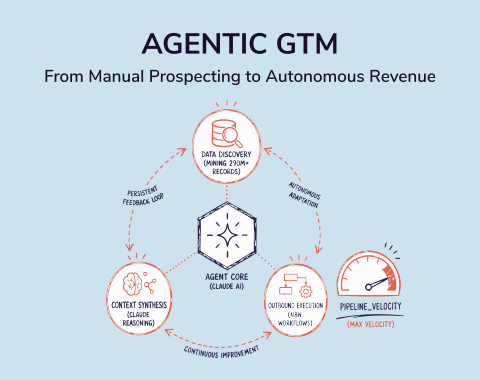
SMARTe's Model Context Protocol integration gives ChatGPT direct, real-time access to SMARTe's 290M+ verified B2B contact database. GPT-5.5 stops operating with hypothetical data and starts operating with real, verified, current information about actual decision-makers at your target accounts. Think about that for a moment: the most capable AI execution engine available, running on the most accurate B2B contact database available. That's what B2B data enrichment looks like in 2026.
A Full Prospecting Workflow Inside One ChatGPT Conversation
Step 1: You describe your ICP. GPT-5.5, connected to SMARTe MCP, pulls matching accounts from 65M+ company profiles — filtered by firmographics, tech stack, headcount, and geography. No manual list building.
Step 2: GPT-5.5 identifies the right contacts at each account from 283M+ verified contacts. VP of Sales, RevOps lead, whoever fits your buyer persona. This isn't a search result. It's a live database match against real people at real companies.
Step 3: SMARTe MCP returns verified direct dials and emails. 75%+ US mobile coverage means the numbers actually ring. 86% of US decision-makers are reachable with verified emails. No more bounces. No more dead numbers.
Step 4: GPT-5.5 drafts personalized outreach for each contact — referencing their role, company context, recent buying signals, and your value proposition. The message is built on real information about a real person in a real buying situation.
Step 5: You review, refine, and send. The entire research-to-outreach cycle moves from hours to minutes.
That's not a theoretical workflow. That's what outbound prospecting looks like when the AI has the right data to work with. SMARTe MCP also brings Bombora intent data directly into your ChatGPT session — so GPT-5.5 isn't just finding contacts, it's prioritizing the ones in active buying mode.
And this is why pipeline generation is changing faster than most teams realize. The constraint was never the AI's intelligence. The constraint was always the data. The B2B data quality underneath your AI workflows determines everything that comes out the other side. Give GPT-5.5 better data and you get better pipeline.
You can also pair SMARTe MCP with Claude or any other MCP-compatible model. But given GPT-5.5's speed advantage on execution-heavy sales prospecting workflows, the ChatGPT 5.5 and SMARTe MCP combination is the one we'd start with. Browse the best MCP servers for sales teams if you want to see how SMARTe fits alongside other tools in the stack.
.png)