TL;DR:
A CFO email list is a verified database of Chief Financial Officers that includes business email addresses, direct dial numbers, job titles, and company details used for B2B sales prospecting and outreach.
Ways to find a CFO email list:
- Use a B2B data platform such as SMARTe, Apollo.io, ZoomInfo, Cognism, or Lusha to build a targeted list by filtering on job title, company size, industry, and geography
- Search LinkedIn Sales Navigator using CFO and VP of Finance title filters, then export contacts with a verified email finder tool
- Use a LinkedIn email finder extension to pull verified CFO emails and direct dials directly from LinkedIn profiles
- Buy a pre-built CFO mailing list from a data vendor for faster access, though data quality and freshness vary widely between providers
- Find individual CFO emails for free using company Team or About pages, email pattern matching, or Google search operators such as "CFO" "email" site:company.com
79 percent of B2B purchases require CFO approval.
Most outbound teams don't have a single verified CFO email in their CRM.
That gap explains a lot of stalled deals.
The champion is sold. The VP signs off internally. Then the CFO asks two pointed questions about ROI, and the deal dies because nobody built that relationship earlier.
Getting a CFO email list right isn't complicated. But it does require knowing what makes data usable at the C-level, which is different from what makes a general contact list usable. CFOs change jobs faster than any other C-suite role. Their average tenure at public companies sits at just 2.1 years according to Datarails research published in 2026. That's not just a data quality stat. It's the reason stale databases fail specifically on this title more than almost any other.
Here's everything you need to build, source, and use a CFO contact list that actually produces meetings.
What Is a CFO Email List?
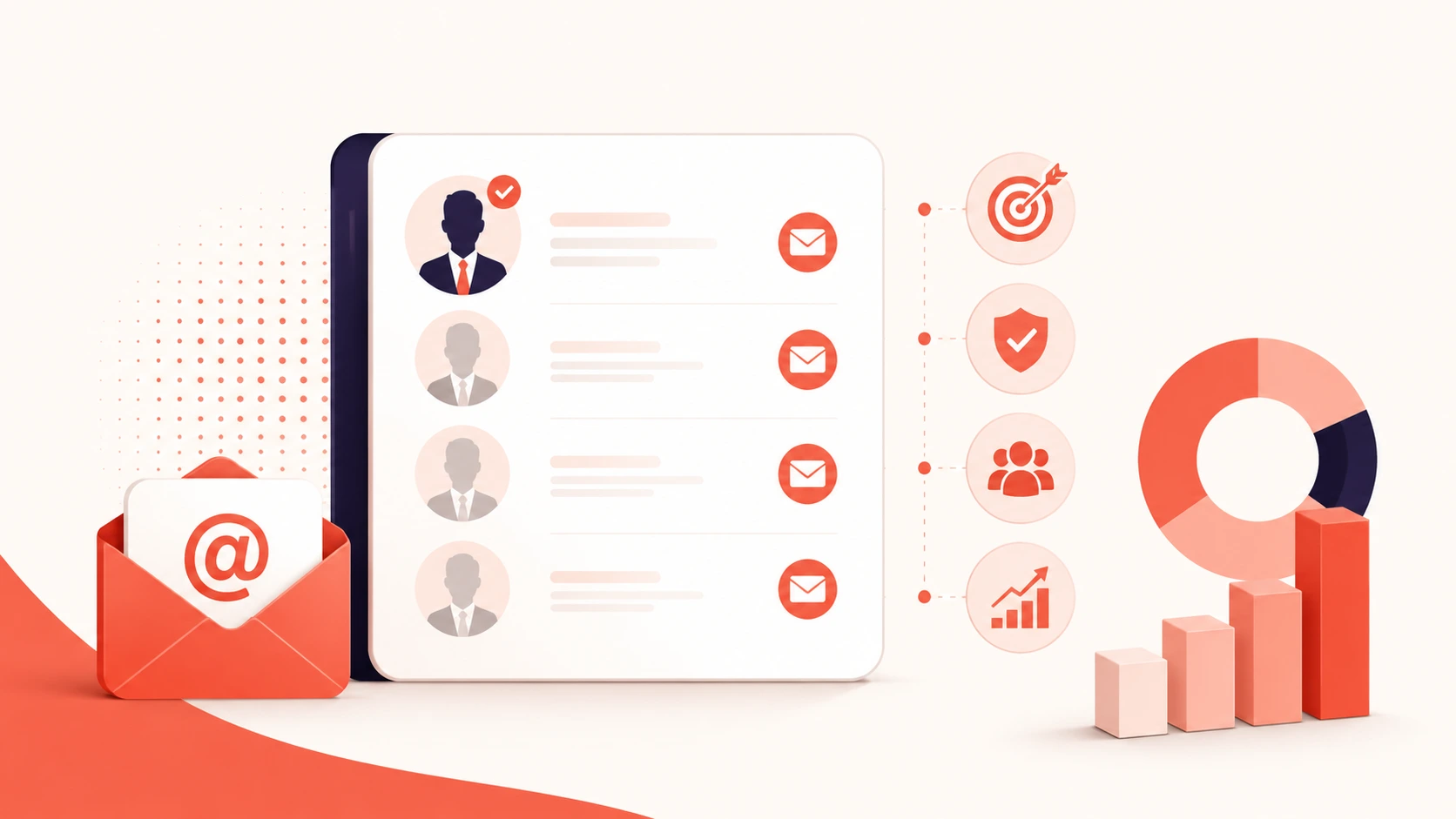
A CFO email list is a database of Chief Financial Officers that includes verified contact details for B2B sales and marketing outreach.
Different people call it different things: CFO mailing list, chief financial officer email list, CFO contact list, CFO email database, CFO email addresses. They all refer to the same thing.
At its most basic, a CFO contact record needs a full name, current job title, verified business email, company name, industry, company size, and revenue range. Anything less and you're prospecting without enough context to personalize, qualify, or run multi-channel outreach.
A strong CFO email database goes further. It includes a direct dial mobile number, LinkedIn profile URL, technographic data on which tools the company currently runs, and buying signals that tell you when an account is actively evaluating solutions in your category.
The gap between a basic list and a full-context database is the gap between cold outreach that bounces and outreach that books meetings.

SMARTe GTM Intelligence
Start Smarter Prospecting Today
Who Belongs on a CFO Mailing List
This is where most teams get it wrong.
Filtering for "CFO" alone misses a chunk of the actual buying committee. Depending on your product and the company size you're targeting, you should include several related titles in your CFO email database.
Chief Financial Officer. The primary target. Owns the financial strategy, approves major purchases, and reports to the CEO or board. For most B2B enterprise deals, this is the person whose sign-off determines whether the deal closes.
Chief Accounting Officer. Handles financial reporting, audit readiness, and accounting compliance. A chief accounting officer email list is worth building separately if you sell audit tools, compliance automation, revenue recognition software, or month-end close products. The CFO approves. The CAO lives in it daily.
VP of Finance. At companies where the CFO doesn't run day-to-day vendor evaluation, the VP of Finance usually does. They own the RFP, shortlist vendors, and make a recommendation upward.
Finance Director. Common at mid-market companies that don't yet have a formal CFO. In practice, this person has CFO-level buying authority for most purchases.
Controller. Manages the accounting team directly. More relevant for tools that affect accounting workflows: reconciliation, AP automation, and payroll platforms.
For enterprise deals, you want all of these. The CFO approves. The VP of Finance evaluates. The Controller and Director implement. Each role needs a different message because their daily priorities are different.
For a broader look at building a c-level executives email list across multiple titles, the same ICP-first logic applies. You might also find it useful to compare this approach with building a CEO email list, since the selection criteria and data quality requirements are nearly identical.
What a Good CFO Email Database Should Include
Not every CFO email list performs the same. The difference shows up in bounce rates, reply rates, and how often you actually reach a live person on a direct dial.
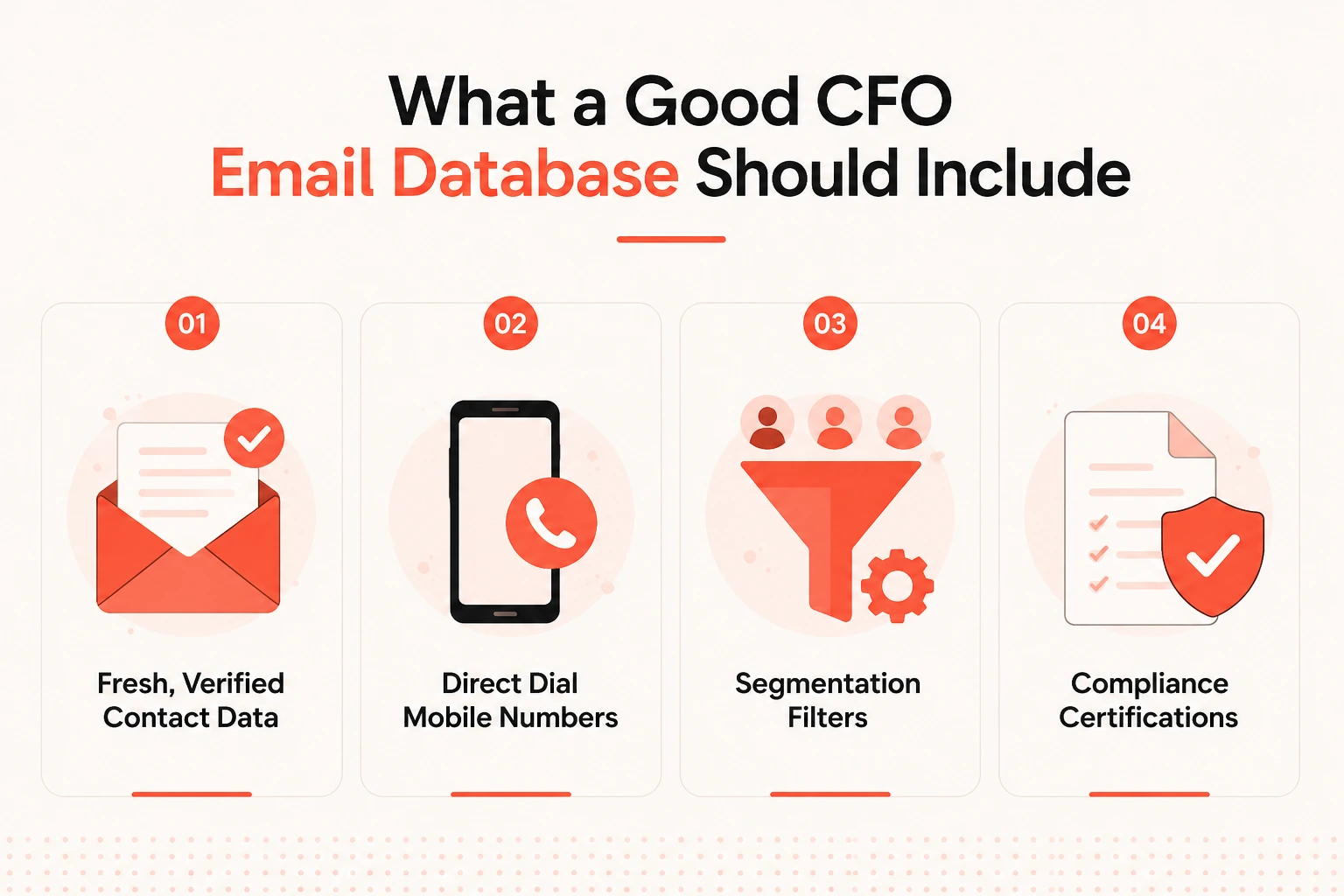
Fresh, verified contact data
CFO tenure at public companies averages just 2.1 years (Datarails, 2026). CFO appointments hit a seven-year high in 2025, with 316 incoming CFOs globally that year alone, according to Russell Reynolds Associates. That means CFO contact records go stale faster than almost any other executive title in the C-suite.
B2B contact data decays at roughly 22.5 percent annually under normal conditions. For C-level contacts in high-churn industries, that number runs higher. Understanding what drives B2B data decay matters before you evaluate any vendor's freshness claims. A batch-refreshed database that gets updated once a quarter starts decaying immediately after the refresh runs. Real-time verification at the point of data delivery is what separates platforms that perform from platforms that just have large record counts.
Direct dial mobile numbers
Most CFO offices use executive assistants who screen calls on main lines. A verified mobile number bypasses that layer entirely.
Most data vendors have decent email coverage for US contacts. B2B direct dials at the C-level are where most fall short. Check this specifically before you buy anything. Ask what percentage of C-level records include a verified mobile, not just what percentage of the total database does.
Segmentation filters
A flat dump of 100,000 CFO records is less useful than a filtered list of 800 that match your ICP exactly. Before you pull any data, you should be able to filter by company size, revenue range, industry, geography, funding stage, and tech stack. The more specific your filters, the better your results on every downstream metric.
Compliance certifications
Any CFO email database worth using comes from a provider that holds SOC 2 Type II certification, documents GDPR and CCPA alignment, and can produce a Data Processing Agreement in writing. More on that in the compliance section.
How to Build a CFO Email List Step by Step
Building your own list using a B2B data platform consistently beats buying a pre-built CFO mailing list. You control the ICP filters, you get fresher data, and you can layer in intent signals before you export. The upfront time investment pays back fast.
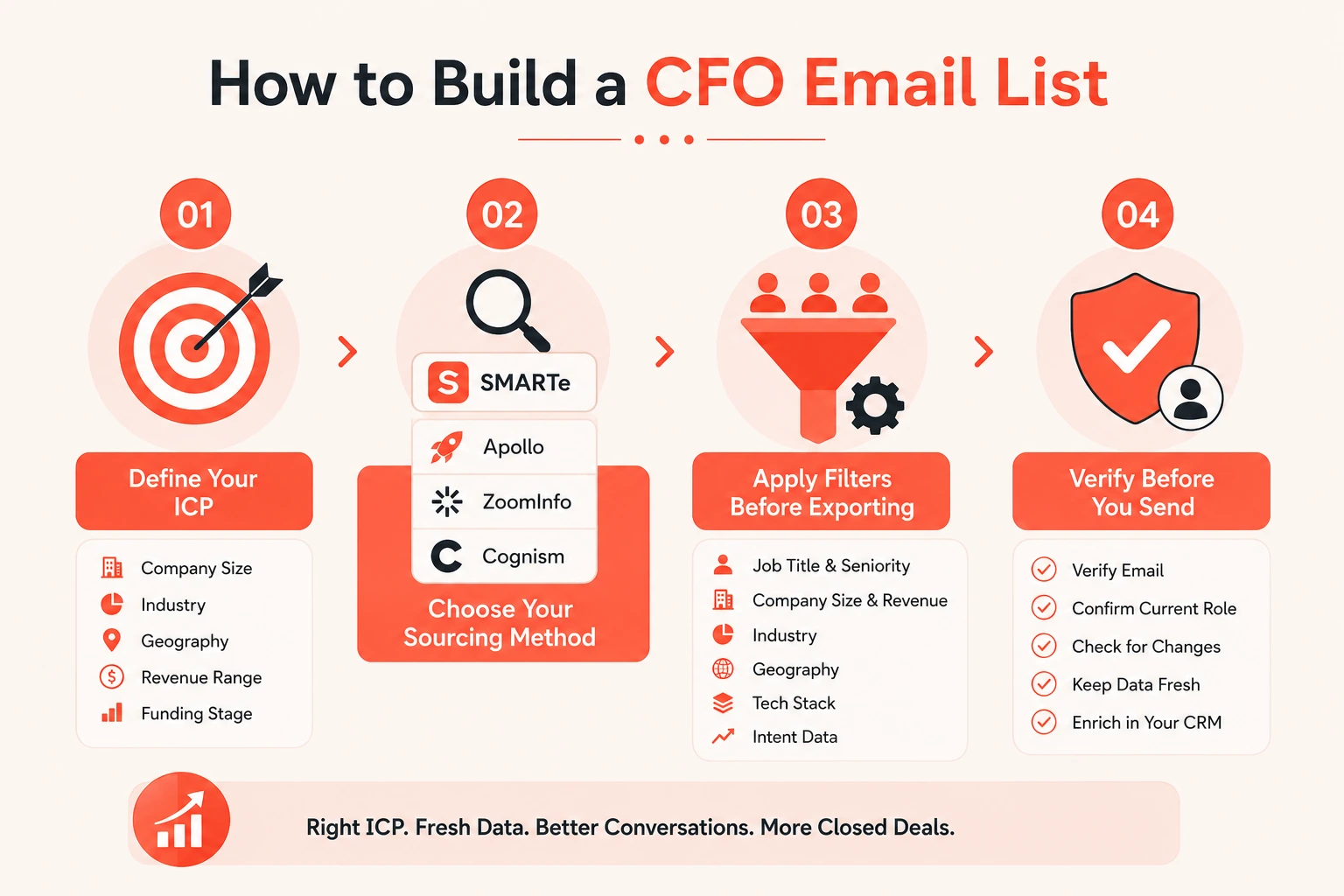
Step 1: Define your Ideal Customer Profile before you open any tool
Most teams skip this step and wonder why their lists don't convert. Before you search for a single contact, write down the answers to these questions:
- What company size range makes a deal worth pursuing?
- Which industries have the highest close rates in your pipeline?
- Which geographies do you actually sell into?
- What revenue range is your sweet spot?
- Are you targeting venture-backed companies, bootstrapped businesses, or enterprise?
A list of 500 exact-fit CFOs converts at a meaningfully different rate than a list of 10,000 mixed-fit ones. Getting your Ideal Customer Profile right before you build the list is the step that produces the biggest performance difference in your entire outreach process.
Step 2: Choose your sourcing method
Three options exist, and they're not equal.
B2B data platform. The best approach for any meaningful volume. Platforms like SMARTe, Apollo, ZoomInfo, or Cognism let you filter by job title, seniority, company size, industry, geography, and tech stack, then export a verified list directly. You define the ICP. The data is fresh. This is how serious outbound teams build CFO contact lists.
LinkedIn Sales Navigator. You can search for CFOs by title, industry, company size, and seniority level. Good for research and individual lookups. The problem: Sales Navigator doesn't surface verified email addresses or mobile numbers by default. You still need a separate tool to pull and verify contact data.
Pre-built CFO mailing list. Faster upfront. Almost always worse on every performance metric. You get volume with no control over freshness, ICP fit, or geographic coverage. Worth reading up on whether buying email lists actually delivers before committing to this approach.
Step 3: Apply filters before exporting
The narrower the list, the better the results. Run these filters before you pull a single record:
- Job title: CFO, Chief Financial Officer, VP of Finance, Finance Director, Controller
- Seniority level: C-suite, VP, Director
- Company headcount range
- Company revenue range
- Industry vertical
- Geography down to country or metro area
- Tech stack (which ERP, accounting, or finance tools they currently run)
- Funding stage if you're targeting growth-stage companies
Add intent data on top if your platform supports it. A CFO at a company actively researching solutions in your product category is in a buying conversation right now. That's who you call first.
Step 4: Verify before you send anything
Don't export a list and immediately load it into a sequence. Run a verification pass first.
Confirm emails are deliverable, not just syntactically correct. Check that the CFO still holds their current role at the listed company. Look for recent job change alerts.
Most good platforms handle this at export. SMARTe verifies in real time at the point of data delivery, so the record you pull today reflects the current state of the contact, not data from six months ago. That's the difference between a 2 percent bounce rate and a 25 percent one.
Once the list is in your CRM, CRM data enrichment keeps those records accurate as CFOs change roles over time. Without it, you're rebuilding from scratch every six months.
5 Best Platforms to Find CFO Email Addresses in 2026
These are the tools worth using for sourcing a verified CFO email list at scale. For a broader comparison of evaluation criteria, the guide to B2B email list providers covers what to look for regardless of which executive title you're sourcing.
1. SMARTe

SMARTe is a global B2B sales intelligence platform built for outbound-first teams. It covers 289 million verified contacts across 200+ countries, with real-time verification at the point of data delivery rather than periodic batch refreshes. For CFO outreach specifically, the 75 percent-plus US direct dial coverage is the standout differentiator.
Key Features:
- 289M+ verified B2B contacts across 200+ countries
- 75%+ of US contacts include a verified direct dial (mobile numbers, not switchboards)
- Real-time verification at the point of export, not quarterly batch updates
- Filters by job title, seniority, company size, revenue, industry, geography, and tech stack
- Native Bombora intent data integration for account prioritization
- Chrome extension for LinkedIn prospecting
- CRM integrations with Salesforce and Outreach
- 90%+ CRM match rate for enrichment workflows
- Free plan with no credit card required
Pros:
- Best US mobile coverage in the category for C-level contacts
- No per-seat pricing on the Pro tier, the whole team shares credits
- Real-time verification means data is accurate at the moment you use it
- Strong coverage in APAC and LATAM markets where most US-based providers are thin
- Transparent, affordable entry pricing with a genuine free plan
Cons:
- Smaller brand recognition than ZoomInfo among enterprise procurement teams
- Less deep in conversation intelligence or advanced workflow automation features
Pricing:
- Free: $0, 10 credits/month, no credit card required
- Pro: $25/month, pay-per-credit at $0.50/credit, no per-seat cost
- Enterprise: From $15,000/year, volume pricing at $0.30/credit maximum
2. Apollo.io

Apollo is an all-in-one sales platform that combines a 275M+ contact database with built-in email sequencing, a dialer, and CRM sync. It's the default choice for smaller teams that want to prospect and run outreach from the same tool without managing multiple subscriptions.
Key Features:
- 275M+ B2B contacts with company-level firmographic data
- Built-in email sequencing with A/B testing
- Auto-dialer (available from Professional plan and above)
- Chrome extension for LinkedIn and website prospecting
- CRM sync with Salesforce and HubSpot
- Basic intent data and AI-assisted email writing
- Bulk contact export and list building with filters
Pros:
- All-in-one platform reduces the number of tools in your stack
- Accessible entry pricing with a functional free plan
- Strong US contact coverage for email-based outreach
- Large contact database (275M+ records)
- Transparent, publicly listed pricing
Cons:
- Data accuracy drops to around 60 percent for contacts outside North America
- Email bounce rates of 15 to 25 percent reported by users on non-US contacts
- Credits expire at end of billing period with no rollover, unused credits are forfeited
- The credit system can get expensive for teams that pull large volumes of phone numbers
- Data accuracy for C-level contacts lags behind verified-data-first platforms
Pricing:
- Free: $0 (limited credits, 2 active sequences)
- Basic: $49/user/month (annual) or $59/user/month (monthly)
- Professional: $79/user/month (annual) or $99/user/month (monthly)
- Organization: $119/user/month (annual) or $149/user/month (monthly), 3-seat minimum
See the full Apollo.io pricing breakdown and how the credit system works in practice before committing.
3. ZoomInfo
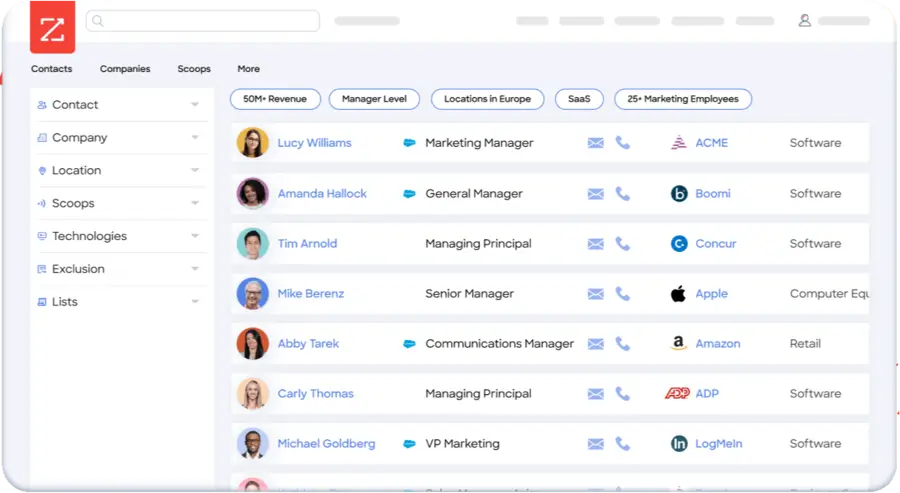
ZoomInfo is the largest B2B contact database on the market and the category benchmark for enterprise GTM teams. Beyond contact data, it combines intent signals, technographics, website visitor tracking, and conversation intelligence (via Chorus) into a single platform.
Key Features:
- 260M+ business contacts and 100M+ company profiles
- Buyer intent data (Bombora + proprietary ZoomInfo signals)
- Technographic data on 40,000+ technology products
- Org charts and detailed company hierarchies
- Website visitor identification
- Conversation intelligence through Chorus (call recording, AI coaching)
- AI Copilot for automated prospecting workflows
- Native integrations with Salesforce, HubSpot, Outreach, and Salesloft
Pros:
- Largest proprietary contact database in the category
- Best org chart depth for mapping buying committees at enterprise accounts
- Intent and technographic data built into the core platform
- Gartner Magic Quadrant Leader for Sales Intelligence
- Conversation intelligence via Chorus is a differentiator no direct competitor matches
Cons:
- Pricing starts at ~$15,000/year and real-world costs commonly land between $30,000 and $60,000+ once add-ons and per-seat fees stack
- Annual contracts are mandatory, with auto-renewal increases of 10 to 20 percent annually
- EMEA data requires a separate "Data Passport" add-on, which adds cost
- Difficult and slow sales process to exit or downgrade
- Overhead is hard to justify for teams under 10 to 15 people
Pricing:
- No public pricing. Custom quotes only.
- Professional: ~$14,995/year (3 users, 5,000 credits)
- Advanced: ~$24,995/year
- Elite: ~$39,995/year+
- Median contract value: ~$31,875/year (Vendr, 2026, 1,300+ verified contracts)
See a full comparison in the ZoomInfo pricing guide or the ZoomInfo review if you're evaluating it against other options.
4. Cognism

Cognism is the go-to platform for outbound teams targeting CFOs in Europe and the UK. Its Diamond Data product phone-verifies mobile numbers rather than relying on scraped sources, and its GDPR compliance documentation is the most thorough in the category. Most enterprise EU legal and DPO teams approve Cognism without friction, which is rare.
Key Features:
- 400M+ business contacts with strong EMEA depth
- Diamond Data: phone-verified mobile numbers (not scraped)
- GDPR, CCPA, and DNC compliance with documentation for 15 countries
- Bombora intent data integration
- Technographic data
- CRM integrations with Salesforce, HubSpot, Outreach, and Salesloft
- Sales Companion AI for prospecting suggestions
- Automated CRM enrichment workflows
Pros:
- Best GDPR compliance posture in the market, DPO-approved without contract redlining
- Phone-verified mobile numbers are genuinely more accurate than scraped alternatives
- DNC screening across 15 countries reduces compliance risk significantly
- Strong EMEA CFO coverage where ZoomInfo and Apollo consistently struggle
Cons:
- Platform fee of $15,000 to $25,000 before any per-user charges makes it expensive for smaller teams
- No built-in email sequencing, you need a separate tool like Outreach or Salesloft
- North American direct dial coverage is weaker than SMARTe or ZoomInfo for US-specific mobile numbers
- Pricing is fully opaque (custom quotes only), making budget planning difficult
- Annual contracts only, no monthly billing option
Pricing:
- No public pricing. Custom quotes only.
- Grow (Platinum): ~$1,500/user/year + platform fee (~$15,000-$25,000)
- Elevate (Diamond): ~$2,500/user/year + platform fee
- Typical 5-user team: $15,000-$50,000+/year depending on plan level
See how Cognism stacks up in a direct Cognism vs. ZoomInfo comparison or explore Cognism alternatives if the pricing doesn't fit your budget.
5. Lusha

Lusha is a contact enrichment tool built around a LinkedIn browser extension. It's the fastest way to pull a verified email or phone number from a single CFO's LinkedIn profile. It's not built for building large, segmented CFO email lists from scratch, but it's useful as a supplementary lookup tool alongside a primary data platform.
Key Features:
- 280M+ verified contacts, 152M+ verified emails
- LinkedIn browser extension for instant contact reveal
- CSV bulk enrichment (up to 300 rows per file on Pro)
- API access for custom workflows
- CRM integrations with Salesforce, HubSpot, and Pipedrive
- Basic intent data and job change alerts
- Buyer intelligence (company news, funding alerts)
Pros:
- Easiest tool in the category to use, minimal setup required
- Transparent, publicly listed pricing across all tiers
- Genuine free plan (40 credits/month) to evaluate data quality before paying
- Fast for individual one-off CFO lookups directly from LinkedIn
- Good North American email coverage
Cons:
- Phone reveals cost 10 credits each (versus 1 credit for emails), which drains credits fast for mobile-heavy outreach
- Not built for bulk CFO list building. Scale-level outreach quickly outgrows the platform.
- Full Salesforce and HubSpot automation sync requires the Scale plan (custom pricing)
- Credits don't roll over on annual plans; unused credits expire at renewal
- European coverage is weaker compared to Cognism
Pricing:
- Free: 40 credits/month (rollover up to 80)
- Starter: ~$37.45/user/month (annual)
- Pro: ~$52.45/user/month (annual), 7,200 credits/year, 2 seats
- Premium: ~$299.95/month (annual), 40,800 credits/year, up to 5 seats
- Scale: Custom pricing
See a full head-to-head in the Lusha vs. Apollo comparison if you're deciding between the two.
How to Find a CFO's Email Address for Free
Paid platforms give you scale and accuracy. For one-off lookups or early prospecting research, these methods work without a subscription.
1) LinkedIn contact info. Search for CFOs by title on LinkedIn and visit each profile. Click "Contact Info" below their headline. Some CFOs list their business email there directly. Not all do, but it's worth checking for high-priority target accounts.
2) Company website. Check the About or Team page. Smaller companies sometimes list executive email addresses directly. Even if they don't, you can usually identify the company's email format from other staff contacts, then apply the same pattern to the CFO's name.
3) Email pattern matching. Once you know the company's email format (firstname@company.com, firstinitial.lastname@company.com, etc.), apply it to the CFO's name. Use a free tool like Hunter.io to verify whether the address is deliverable before sending. This works for individual lookups, but doesn't scale past 10 to 15 contacts before it becomes impractical.
4) Google search operators. Try searching: "CFO" "email" site:company.com, or "firstname lastname" "@company.com". This surfaces any email addresses the company published publicly on its own domain.
Honest take: free methods are fine for finding a CFO email address when you're targeting a handful of specific accounts. For building a real CFO email list of 200-plus contacts for an outbound campaign, you need a platform. Doing this manually at scale is not a good use of rep time.
For finding specific contact details from LinkedIn at scale, see how to use a LinkedIn email finder properly, or explore the broader guide on how to find an email address using multiple methods.
CFO Email List Compliance: GDPR, CCPA, and CAN-SPAM
This section matters more than most teams realize until it's too late.
GDPR. Covers any contact in the EU or UK regardless of where your company is based. You need a legitimate basis for processing their data. For B2B outreach, that's typically "legitimate interest," but you need to document it and maintain opt-out processes. Total GDPR fines have reached €7.1 billion cumulative since enforcement started, with €1.2 billion issued in 2025 alone (DLA Piper, January 2026).
CCPA. California's privacy law now fully covers B2B contacts. The California B2B exemption ended in 2023. Current penalties run $2,663 per violation and $7,988 per intentional violation. If you buy a CFO mailing list that includes California-based contacts from a vendor who hasn't maintained opt-out records, you inherit that liability.
CAN-SPAM. The US federal law for commercial email. Less strict than GDPR, but still requires a clear sender identity, a physical mailing address, and a working unsubscribe mechanism in every email.
Before buying from any CFO database provider, verify these three things in writing:
- SOC 2 Type II certification
- Documented GDPR and CCPA compliance with specific mention of B2B contacts
- A Data Processing Agreement they can sign
If a vendor responds with a link to their privacy policy page, that's not documentation of compliance. That's marketing copy.
For a full breakdown of what compliant B2B data sourcing looks like under current regulations, the rules have shifted significantly in the past two years.
SMARTe is SOC 2 Type II certified, GDPR aligned, and CCPA compliant. For teams selling across multiple geographies, that compliance posture is part of what you're buying, not just a checkbox.
What This All Comes Down To
Most teams either buy a pre-built CFO email list without thinking about data quality, or they avoid the CFO entirely and try to close deals through champions who can't get sign-off.
Neither approach works consistently.
The teams that book consistent meetings with CFOs do the boring stuff well. They define a tight ICP. They source verified data with real mobile coverage. They layer in intent signals to prioritize the right accounts at the right time. Then they send a short, specific message that translates to a financial outcome the CFO actually cares about.
That's not a complex strategy. It's discipline with the fundamentals.
Try SMARTe free and see how many verified CFO contacts are available in your target accounts today. No credit card required.