TL;DR:
- The best waterfall enrichment tools split into first sources (SMARTe), managed waterfalls (FullEnrich, BetterContact, Cleanlist), builders (Clay, Persana AI, pipe0), and platform add-ons (Apollo, Surfe, ZoomInfo).
- Mobile numbers drive cost. Most managed waterfalls charge 10 credits for a mobile and 1 for an email.
- SMARTe is the deep first source for mobiles and non-US data, and it runs inside Clay and Apollo. Its one plan, Enterprise, starts at $15,000 per year.
- Pay-only-for-found billing is standard now. Check whether "found" means verified.
- Test any tool on 200 to 500 of your own records before you sign.
Your reps can't call a number they don't have. One data provider covers part of your list well and leaves the rest blank, and the gaps pile up in mobile numbers and contacts outside the US.
Waterfall enrichment closes those gaps. It passes each record down a chain of data providers until one returns a verified email or mobile, and in most tools you pay only for the hit. The tool you pick decides how many records you fill and what each one costs.
Let's find the 10 best waterfall enrichment tools for 2026.
What is waterfall enrichment?
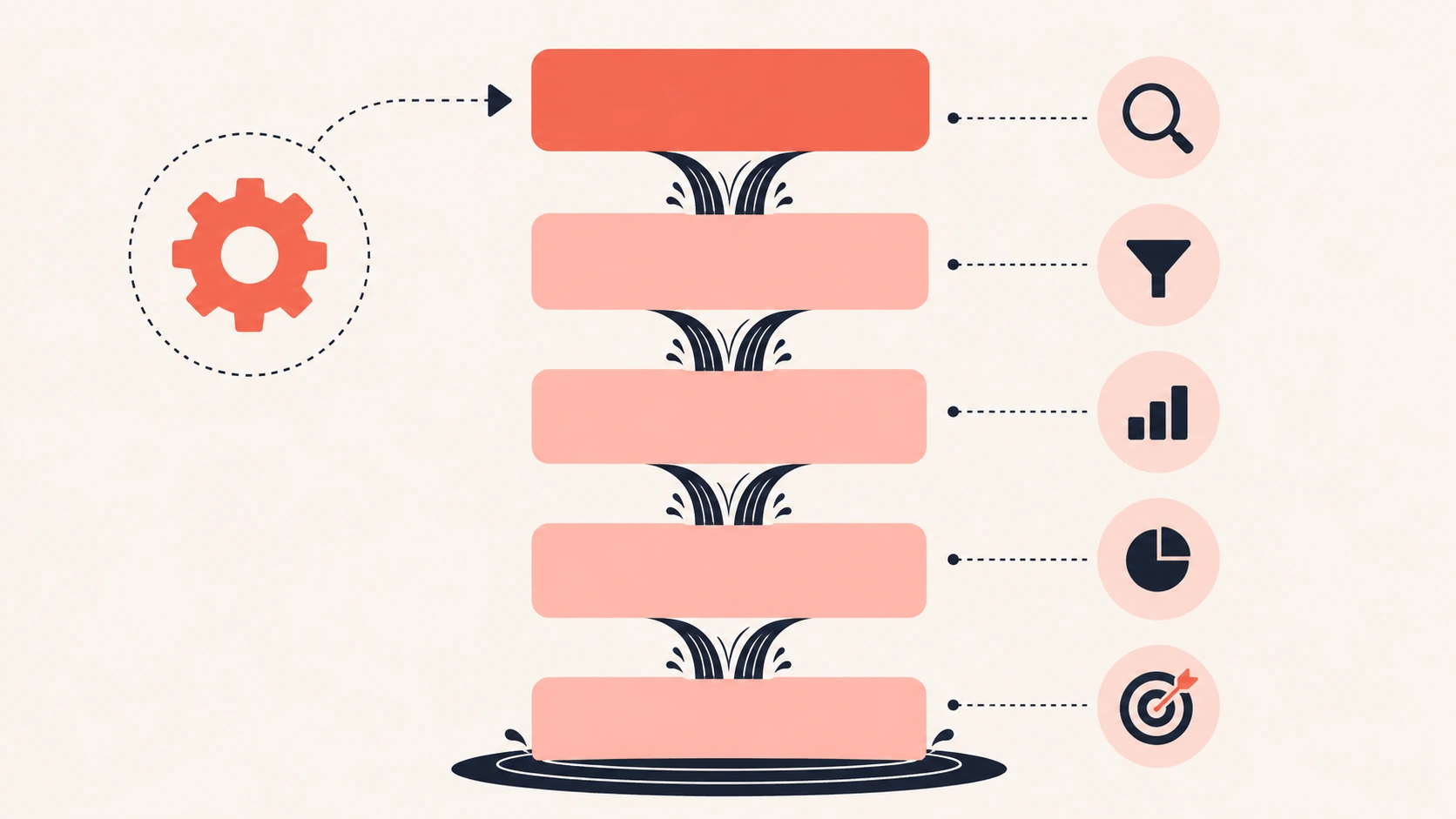
Waterfall enrichment is a form of B2B data enrichment that fills contact data by asking several data providers in order. If the first provider has no verified email or mobile for a record, the record falls to the next one. That repeats until a provider finds it. You pay for one good result instead of buying overlapping databases.
The order of the providers matters as much as the number of them. Put an expensive or weak source first and every record pays for it.
Four types of waterfall enrichment tools: first sources, managed waterfalls, builders, and platform add-ons
How I picked and ranked these tools
I picked these tools by what each one does in a waterfall, not by size. All facts and prices come from each vendor's own site, checked on October 26, 2026. Where a vendor's pages disagree with each other, I say so.
I looked at five things for each tool:
- Does it query several data sources, or is it one source you plug into a waterfall?
- Who sets the order of sources?
- Does it verify results before it charges you?
- What does one verified mobile number cost at list price?
- Where does it run: in a CRM, in Clay, in a Chrome extension, or through an API?
I didn't run a hands-on benchmark for this article, so I don't quote my own find rates. Vendor find rates are labeled as vendor claims.
Waterfall enrichment tools compared
The table below compares all 10 tools on type, best use, data sources, entry price, and what a mobile number costs.
The 10 best waterfall enrichment tools
The 10 best waterfall enrichment tools for B2B teams in 2026 are reviewed below, each with features, pricing, pros, and cons.
1. SMARTe: best first source for mobiles and global data
SMARTe is a B2B data and sales intelligence platform that has supplied B2B contact data since 2005. Its own verified database covers 285M+ contacts and 66M+ companies across 200+ countries. It isn't a multi-vendor aggregator. Instead, SMARTe is the deep source you put at the top of a waterfall, and it already runs natively inside Clay and as an official waterfall source inside Apollo. A deep first source means fewer records fall through to paid fallbacks.
Best for: teams that need mobile numbers and direct dials and non-US contacts from the first lookup.
SMARTe features
SMARTe's strengths in a waterfall are mobile coverage, global reach, and the extra data on each record.
- 75% of North American contacts come with mobile numbers, and about half of the international database is mobile-ready (SMARTe-reported).
- 90%+ match rates on CRM enrichment at scale (SMARTe-reported).
- Works natively inside Clay, either on Clay's shared key or with your own SMARTe account.
- An official waterfall source inside Apollo for mobile numbers and work emails, running on Apollo credits or your own SMARTe API key.
- Enrich API, Salesforce and HubSpot integrations, Zapier and Workato connectors, and the SMARTe MCP server for AI assistants.
- Job-change tracking and firmographics on the same platform.
- Technographics and Bombora intent data for targeting.
- A Waterfall Agent and a Verification Agent appear in SMARTe's AI agent lineup. SMARTe's homepage shows the Waterfall Agent marking each source as no match, partial, or verified.
- SOC 2 Type II certified, GDPR aligned, and CCPA compliant.
SMARTe pros and cons
Pros:
- Deep mobile and international coverage, so SMARTe fills records many waterfalls miss.
- Already a source in Apollo's waterfall and native in Clay, so it fits stacks teams already run.
- Contact, company, technographic, and intent data under one contract.
Cons:
- SMARTe is one source. For a full multi-vendor cascade, run it inside Clay or Apollo.
- Enterprise-only pricing is a big step for a small team just testing a waterfall.
- No self-serve plan, so you start with a demo instead of a free trial.
- SMARTe hasn't published full details of the Waterfall Agent in its AI agent lineup yet.
SMARTe pricing
SMARTe offers one plan. The Enterprise plan starts at $15,000 per year.
SMARTe makes the product described above, so weigh this entry with that in mind. The case for SMARTe is narrow. If your waterfall spends most of its budget on mobiles and non-US records, a deeper first source means fewer paid fallback calls. LeanIX, a SMARTe customer, says SMARTe "boosts our enrichment rate by 20% in some areas" compared with its other supplier.
If mobiles or international records are where your current waterfall runs dry, book a SMARTe demo. It's a no-commitment walkthrough built around your use case. Bring a list of records your current tools missed, and ask where SMARTe would sit in your waterfall.
2. FullEnrich: best managed waterfall for emails and mobiles
FullEnrich is a managed waterfall that checks 20+ data vendors for work emails, personal emails, and mobile numbers. FullEnrich picks vendors based on each lead's location, and it charges only for data that passes its checks.
Best for: outbound teams that want verified emails and mobiles without building a workflow.
FullEnrich features
FullEnrich focuses on verification, so most of its features decide what counts as a valid result.
- 20+ vendors in the cascade (FullEnrich's pricing table says 25+).
- Three email verification engines must agree, or the email is dropped.
- Catch-all resolution and a bounce probability for each email.
- Mobile checks for active lines, with landlines returned free.
- Reverse email lookup and people and company search API.
- HubSpot push, plus Zapier, Make, n8n, and Clay. An MCP server is available.
FullEnrich pricing
FullEnrich sells credits on one Pro plan that scales with volume.
- Free: 50 credits, no credit card.
- Pro: $55 per month for 1,000 credits ($0.055 per credit), scaling to $720 per month for 15,000 credits. Unlimited users.
- Enterprise: custom.
- Credit costs: work email 1, personal email 3, mobile 10.
FullEnrich pros and cons
Pros:
- You pay only for verified results.
- Strict email verification lowers bounce risk.
- Unlimited users on every plan.
- Credits roll over (3 months on monthly plans, 12 on annual).
Cons:
- A mobile costs 10 credits, about $0.55 at the entry price.
- HubSpot is the only native CRM named.
- No Chrome extension, the most common complaint in G2 reviews.
- G2 reviewers also flag some incorrect phone numbers and fast credit burn.
3. Clay: best for building your own waterfall
Clay is a GTM data and workflow platform, and Clay data enrichment runs on waterfalls you build from a marketplace of providers. Clay lets you choose which tools run, add conditions, and pass results to AI research steps, CRM syncs, and sequences.
Best for: RevOps teams and GTM engineers who want full control over provider order and logic.
Clay features
Clay's features center on building and running your own enrichment logic.
- 150+ databases in Clay's waterfall marketplace (the homepage says 200+ providers).
- No data credits or actions charged when an enrichment returns nothing.
- Bring your own API keys for providers you already pay for.
- Claygent AI research agent and web scraping.
- Signals for job changes, news, and web intent.
- Native sequencer and ad audience sync.
Clay pricing
Clay bills in two units, actions and data credits, across four plans.
- Free: 500 actions and 100 data credits per month, 200 rows per table, no phone enrichment.
- Launch: $167 per month on the plan card (Clay's FAQ lists $185). No CRM sync or HTTP API.
- Growth: $446 per month on the plan card (the FAQ lists $495), with CRM sync, HTTP API, and webhooks.
- Enterprise: custom.
- Data credits start at $0.05 each, and actions cost under $0.01. Per-provider costs vary.
Clay pros and cons
Pros:
- The most control over order, conditions, and fallbacks.
- Huge provider choice, including SMARTe as a native source.
- No charge on misses.
Cons:
- A steep learning curve, the top theme in G2 reviews.
- Two billing units (actions and data credits), and top-ups cost 30% more.
- CRM sync and the HTTP API start on Growth.
- Verification is a step you add yourself.
If Clay's learning curve or two billing units put you off, read our full Clay review or compare these Clay alternatives before you commit.
4. BetterContact: best low-cost managed waterfall
BetterContact is a managed waterfall across 20+ data providers, and BetterContact's own algorithm sets the order for each list. BetterContact verifies emails and mobiles before charging, and it scores phone numbers by how likely they are to connect.
Best for: small teams that want to test a managed waterfall cheaply.
BetterContact features
BetterContact pairs a managed waterfall with heavy phone checks.
- 20+ providers, ordered by BetterContact's own algorithm.
- Email checks for syntax, MX, SMTP, and catch-alls.
- Phone checks with carrier lookup, HLR, and live ping (Pro and up).
- Connect Intelligence, which ranks numbers by connect likelihood.
- Waterfall Lead Finder for building lists.
- Native integrations including Clay, HubSpot, Salesforce, Zapier, Instantly, and Lemlist.
BetterContact pricing
BetterContact has the lowest paid entry point of the managed waterfalls here.
- Free: 50 credits, no credit card.
- Starter: $15 per month for 200 credits.
- Pro: from $49 per month for 1,000 credits, with tiers up to 50,000.
- Enterprise: from $799 per month, with your own API keys.
- Credit costs: email 1, mobile 10. Annual billing gives 2 months free.
BetterContact pros and cons
Pros:
- The lowest entry price on this list.
- Charged only when a result is valid.
- Phone connect scoring helps callers skip dead numbers.
- Credits roll over, up to 2x the plan.
Cons:
- You can't set BetterContact's source order yourself.
- Mobile verification, catch-all checks, and Connect Intelligence aren't on Starter.
- Clay and Zapier integrations start on Pro.
- A big jump from Pro to Enterprise at $799 per month.
5. Apollo: best for teams already on Apollo
Apollo is an all-in-one prospecting and engagement platform with 240M+ contacts. Apollo data enrichment uses a waterfall that adds 20+ partner sources after Apollo's own data. Admins choose which sources run and in what order, with Apollo always first.
Best for: teams that already prospect and send sequences in Apollo.
Apollo features
Apollo's waterfall gives admins more control than most built-in options.
- Apollo data first, then 20+ partners.
- Admins set the source lineup and order.
- Optional email or phone validator after each source, with a stop rule you choose.
- Bring your own vendor keys, which don't use Apollo credits.
- A credit estimate before each run.
- API flags to run the waterfall for email or phone on person match.
Apollo pricing
Apollo sells four plans, but its pricing page text doesn't list the numbers.
- Plans: Free, Basic, Professional, and Custom.
- Apollo's pricing page shows no prices or credit amounts in its page text, so check the live plan selector and our Apollo.io pricing breakdown before you budget.
- Credits are pooled across the team and expire each billing cycle.
- Waterfall credit use varies by source, and phones usually cost more than emails.
Apollo pros and cons
Pros:
- No new tool if your team already lives in Apollo.
- You control the order of partner sources.
- Your own vendor keys run without Apollo credits.
- Apollo won't re-query a source for the same contact within 30 days of a usable result.
Cons:
- Apollo always runs first, so you pay for Apollo's lookup on every record.
- Unverified results and validator checks both cost credits.
- The waterfall covers emails and phones only, not CRM enrichment.
- G2 reviewers often cite inaccurate data, especially phones and non-US contacts.
If Apollo isn't the right fit, compare the best Apollo alternatives, or see how Apollo vs ZoomInfo plays out for larger teams.
6. Persana AI: best for provider control plus AI research
Persana AI is an AI GTM platform with a waterfall across 100+ providers that you can order and set rules for. Persana AI also adds AI research agents and buying-intent signals on top of enrichment.
Best for: teams that want Clay-style control with simpler, per-credit pricing.
Persana AI features
Persana AI lets you shape the waterfall rule by rule.
- 100+ providers, in an order you set.
- Rules per provider, such as "run only if the last one failed."
- Skips contacts that already have a verified email.
- Shows which provider returned each result.
- AI research agents and 75+ buying-intent signals.
- Waterfall email and phone lookup APIs.
Persana AI pricing
Persana AI publishes five self-serve plans, most shown with annual billing.
- Free: 50 credits.
- Starter: $68 per month billed annually ($85 monthly) for 2,000 credits a month.
- Growth: $151 per month on annual billing.
- Pro: $400 per month billed annually, which adds HubSpot and Salesforce integration.
- Unlimited: $600 a month, billed yearly. Enterprise is custom.
- Credit costs: email 1, phone 10. Unlimited users on every plan.
Persana AI pros and cons
Pros:
- Full control over provider order and fallback rules.
- Low cost per credit on Starter.
- Unlimited users.
- Source attribution for each data point.
Cons:
- CRM integration starts on Pro at $400 per month (annual).
- Monthly prices aren't shown above Starter.
- Phones cost 10 credits.
- A small G2 review base (about 40 reviews).
7. Cleanlist: best for enrichment and outreach in one tool
Cleanlist is a data enrichment platform with a 25+ provider waterfall that verifies the first email it gets back, then repeats the process for phones. Cleanlist also includes sequences, ICP scoring, and AI agents.
Best for: small sales teams that want enrichment and outreach without a second tool.
Cleanlist features
Cleanlist bundles the waterfall with list building and outreach.
- 25+ providers, including Wiza, Prospeo, Findymail, LeadMagic, Lusha, and Datagma.
- Verifies each email before keeping it.
- Free people search across 1B+ profiles.
- Email and call sequences sent from reps' own mailboxes.
- ICP scoring from 0 to 100.
- Chrome extension on every plan, and MCP for Claude and ChatGPT from Starter.
Cleanlist pricing
Cleanlist prices per seat, with credits pooled by seat.
- Free: $0, 50 credits a month, up to 3 seats.
- Starter: $49 per seat monthly or $37 annual, 750 credits per seat.
- Pro: $89 per seat monthly or $67 annual, 1,500 credits per seat.
- Enterprise: custom. A 14-day Pro trial is available.
- Credit costs: verified work email 1, phone 10.
Cleanlist pros and cons
Pros:
- Unused credits roll over, and there are no overage charges.
- Charged only for emails, phones, and firmographics it finds.
- Enrichment and outreach in one bill.
- Chrome extension even on the free plan.
Cons:
- Per-seat pricing grows with team size.
- API access starts on Pro, and so does native HubSpot and Salesforce sync.
- Phones cost 10 credits, so Starter covers about 75 phones per seat.
- Accuracy figures come from Cleanlist's own benchmark.
8. Surfe: best for LinkedIn and CRM-based reps
Surfe is a Chrome extension and CRM enrichment tool that runs a waterfall across 15+ providers, including Findymail, LeadMagic, Hunter, and RocketReach. Surfe works inside LinkedIn and syncs straight to HubSpot, Salesforce, Pipedrive, and Copper.
Best for: reps who prospect on LinkedIn and want clean records in their CRM.
Surfe features
Surfe's features are built around the rep's daily workflow.
- Waterfall for verified emails and mobiles across 15+ providers.
- 1B+ profiles and 50M+ accounts (Surfe-reported).
- Buying signals: job changes, hiring, funding, and growth.
- Continuous CRM data enrichment with deduplication and two-way sync.
- API, webhooks, and a native MCP server.
Surfe pricing
Surfe prices per user and splits email and mobile credits.
- Free: $0, 20 email and 5 mobile credits a month.
- Essential: $49 per user monthly or $39 annual, 150 email and 50 mobile credits.
- Pro: $89 per user monthly or $79 annual, 1,000 email and 100 mobile credits.
- Enterprise: custom, and the only plan that lists the Waterfall Enrichment API.
Surfe pros and cons
Pros:
- Works where reps already work: LinkedIn and the CRM.
- Separate email and mobile credit pools keep costs predictable.
- Buying signals and enrichment in one extension.
Cons:
- Low mobile allowances (50 to 100 a month on paid plans).
- The waterfall API is Enterprise only.
- No provider choice or order control.
- Find-rate claims vary across Surfe's pages (85% and 90%).
9. ZoomInfo GTM Studio: best for existing ZoomInfo customers
ZoomInfo GTM Studio is a data orchestration platform for ZoomInfo enrichment, and its waterfall checks 25+ vendors at the same time and returns the highest-confidence email or mobile. ZoomInfo includes the waterfall at no extra cost for GTM Studio users, and it shows which vendor supplied each result.
Best for: enterprise teams that already pay for ZoomInfo.
ZoomInfo GTM Studio features
ZoomInfo GTM Studio runs its waterfall in parallel instead of in sequence.
- 25+ vendors checked in parallel, not in sequence.
- Source attribution on every result.
- Pre-built plays such as champion tracking and competitive displacement.
- Workflows, alerts, audiences, and analytics.
- Records under management: pay for a record once, then re-enrich it for free.
ZoomInfo GTM Studio pricing
ZoomInfo doesn't publish prices for GTM Studio or its main plans, so ZoomInfo pricing comes down to a sales quote.
- No public prices. ZoomInfo prices by features, licenses, and credits, and each export costs one credit.
- GTM Studio pricing is tailored, and the waterfall itself is included.
- GTM Studio is in an early access program, so check eligibility with ZoomInfo.
ZoomInfo GTM Studio pros and cons
Pros:
- No extra charge for the waterfall.
- Parallel checks return the highest-confidence match across all 25+ vendors.
- Re-enrich records you already paid for.
Cons:
- Early access, with plan eligibility not published.
- You can't choose or order vendors, and they aren't named.
- No public pricing.
- G2 reviewers of ZoomInfo cite outdated data and high cost.
If your team doesn't already run on ZoomInfo, look at these ZoomInfo alternatives instead.
10. pipe0: best for developers and AI agents
pipe0 is an API-first GTM data platform with a waterfall across 50+ providers, and it bills only the source that found the data. Teams run pipe0 through an agent, a typed API, or an MCP server, with spreadsheet-style tables for review.
Best for: technical teams building enrichment into code or AI agents.
pipe0 features
pipe0's features assume you'll call it from code or an agent.
- 50+ providers, with a provider added only when it finds data others miss.
- Billing only for the source that returned a result.
- Typed REST API, TypeScript SDK, and an MCP server.
- Tables up to 2M records, with schedules and webhooks.
- CRM write-back to HubSpot, Salesforce, and Attio.
- Bring your own keys.
pipe0 pricing
Teams can start pipe0 with no subscription and move to a monthly plan later.
- Pay as you go: $0 to start, $0.035 per credit, credits never expire.
- Monthly: $49 for 1,600 credits, $149 for 5,000, or $349 for 12,000.
- Unlimited users on every plan.
- pipe0 reports measured averages of about $0.14 per mobile and $0.045 per work email on standard plans.
pipe0 pros and cons
Pros:
- The lowest per-mobile cost on this list, by pipe0's own measured averages.
- No subscription needed to start.
- Built for code and agents from day one.
- Unlimited users.
Cons:
- Email verification runs as a separate step.
- Needs some technical setup.
- No G2 reviews yet.
- Public docs on provider order were not available when I checked.
What a verified mobile costs in each waterfall tool
The cost of one verified mobile number ranges from about $0.14 to $0.55 at entry list prices across these tools. Emails are cheap everywhere. Mobiles decide your bill, so this is the number to compare.
These are my calculations from list prices as of October 26, 2026. They assume you get a valid mobile; most tools charge nothing for a miss. Clay, Apollo, Surfe, and ZoomInfo don't publish a comparable per-mobile price. SMARTe sells an annual Enterprise contract, so it isn't priced per mobile here.
A worked example: 2,000 new contacts a month, needing a mobile on each. At $0.55 per found mobile, that's $1,100 a month if every record hits. At $0.34 (Persana AI Starter), it's $680. Find rates are always below 100%, so your real bill is lower, but the gap between tools stays the same.
Cost per verified mobile number across five waterfall enrichment tools at entry list prices
How to choose a waterfall enrichment tool
Choose a waterfall enrichment tool by the data you need most, who will run it, and where it has to live. These rules cover most teams:
Then test before you buy.
Pick 200 to 500 records from your real ICP, including some you already know are correct. Run the same inputs through each finalist. Check the results with one of the email verification tools, not the one that found them. Compare four numbers: found rate, verified rate, bounce rate, and cost per verified contact.
Two settings matter more than which tool you pick. First, put your cheapest strong source first for emails and your deepest source first for mobiles. Second, decide whether "found" means "verified" before you compare find rates, because unverified finds look great until they bounce.
Keep your waterfall compliant
A waterfall is only as compliant as its weakest provider. Every vendor in the cascade is a source of personal data, so ask each one how it collects data, how it handles opt-outs, and how it keeps B2B data compliant.
Regulators have fined vendors over this. The EDPB summary of the Kaspr fine explains why France's CNIL fined a contact-data vendor €240,000 over data scraped from LinkedIn. Prefer providers that publish their certifications, such as SOC 2 Type II, and keep a record of which provider supplied each field. This isn't legal advice, so check your own rules with counsel.
My take: fix the order before you change tools
Before you switch tools, check the order your sources run in. Put a strong first source at the top, cap what you spend on fallbacks, and verify before anything reaches a sequence.
If I were starting from zero, I'd run a 300-record test on two managed waterfalls and one deep first source, then keep the combination with the lowest cost per verified contact. If mobiles are your gap, give SMARTe the first-source slot in that test. SMARTe's data coverage shows its mobile reach by region.